If you're over a certain age, you'll remember the Yellow Pages. It arrived on the doorstep once a year, weighed about the same as a small dog, and was mainly used for finding a plumber or reaching a high shelf.
The printed book has largely gone the way of the fax machine. But the basic idea never went anywhere. People still need to find local businesses, and local businesses still want to be found. It just moved online, and it's now a business you can run from a laptop without needing a single tree.
Here's how to create a modern yellow pages website that people will actually use.
Is a yellow pages website still a good idea?
Fair question. You've got Google Maps on one side and huge national directories on the other. So why bother?
Because a big platform covers everywhere in the same way. A good local directory can do something they can't: know the place properly.
A yellow pages site for your town, region or small country can include businesses that the big sites have missed, use the local language, list local categories and earn the trust of the local community. Many smaller towns and countries still have outdated directories, or none at all. That's an opportunity with a very low bar.
One thing to note: "Yellow Pages" is a trademark in some countries, so check the rules where you are and consider a name of your own. "Porto Business Guide" works just as well, and won't attract a letter from a lawyer.
Decide on your territory
Your first decision is your coverage. Here are the usual choices:
- One city or town. The easiest to win, and ideal if you're starting out.
- A region or province. Bigger potential, more work.
- A whole country. Works best in smaller markets, or where there's no good competitor.
Start smaller than you think you should. Being the best guide to a single city beats being a thin guide to a whole continent. You can always add more locations later.
What your site needs
A modern yellow pages website has to do much more than the old book ever did.
Search by keyword and location. This is your front door. Visitors should be able to type "dentist" and "Braga" and get results right away.
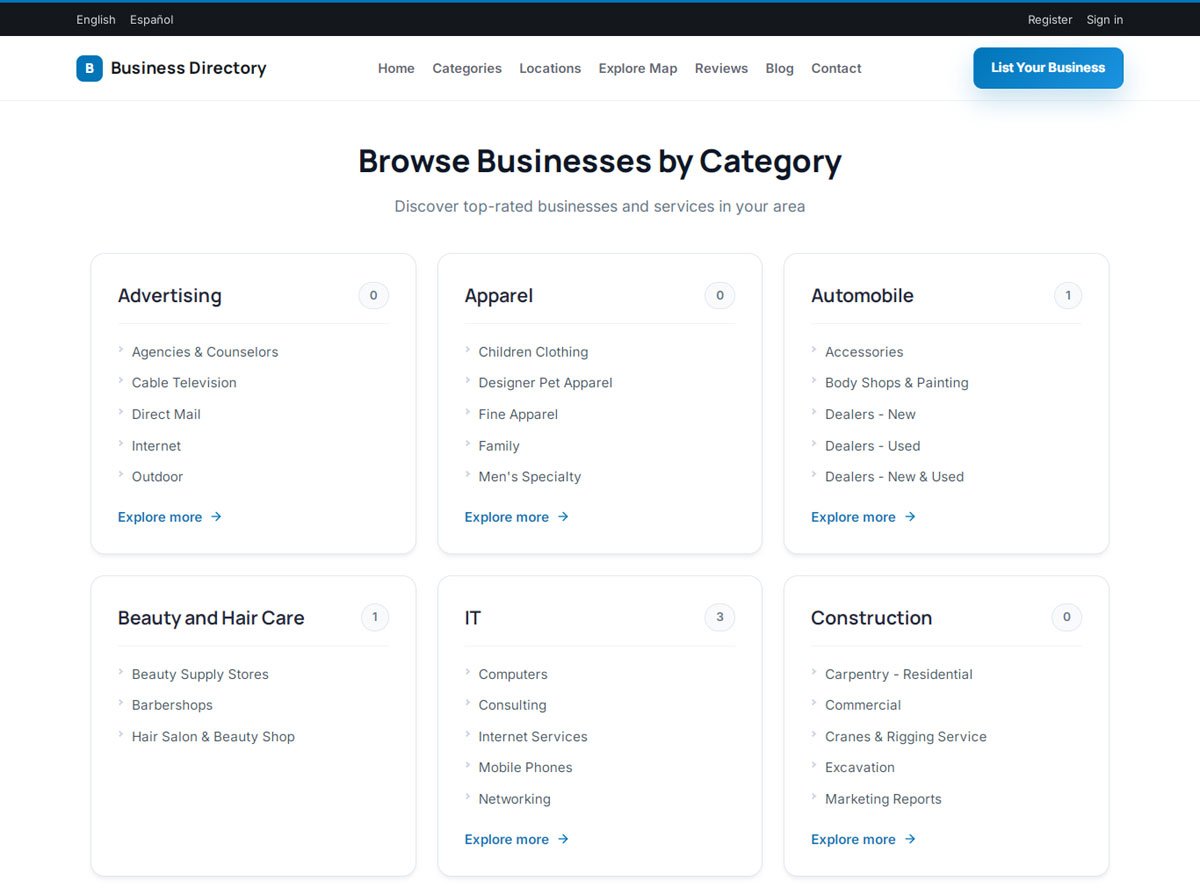
Clear categories. The old phone book had this right. People love to browse by category, from accountants to zoos. Good category management keeps things tidy as you grow, even with a lot of listings.
Maps. Your visitors want to know what's close by. Map search with a "use my location" button is what the printed book could only dream of.
Business profiles. A name and number used to be enough. Today people expect photos, opening hours, website links and reviews.
Reviews. These are the big upgrade. The old book couldn't tell you that the plumber in the half-page ad never answers his phone.
Mobile design. The phone book lived in a drawer. Your directory lives in somebody's pocket.
How to build it
You've got three main options.
Custom development gives you everything you could want, along with a large invoice and a long wait.
A website builder or a plugin can work for small sites, but a full yellow pages directory with thousands of listings tends to push these tools hard.
A yellow pages script gives you a ready-made system. PHP Business Directory is designed for this kind of site: you install it on your own hosting, and you get search, categories, maps, reviews, paid listings and an admin panel from day one. We install it for you too, so you don't need to be a developer.
If you serve a country with more than one language, make sure your software offers multi-language support. That can be a big advantage over international sites that treat your market as an afterthought.
For more help comparing options, see how to choose business directory software.
Filling your yellow pages
The original Yellow Pages had one huge advantage: the phone company already had everyone's details. You'll have to work a little harder.
Start by collecting public business information for your area. Build your list from local sources such as chambers of commerce, trade associations and business websites. Then import it all by CSV.
It's better to have 500 accurate listings than 50,000 that are wrong. Bad data was forgivable in a book that was printed once a year. Online, it's just a broken promise with a phone number.
Once the data's in, invite owners to claim their listings and complete their profiles. We've written a full guide on how to get businesses to list on your directory.
How a yellow pages site makes money
The classic model was beautifully simple. A plain listing was free, and you paid for a bigger ad. Interestingly, that model works just as well online.
Your main options include:
- Paid listings: extra photos, a website link and a longer description
- Featured placement: the modern version of the half-page ad at the top of the plumbers section
- Banner ads: sold by location or category
- Premium tools: like online appointment booking
Remember how businesses used to name themselves "AAA Plumbing" to appear first in the book? They were happy to game the alphabet to be seen first. Featured placement is the same instinct, and you get paid for it. Read more in how to make money with a business directory.
Getting found on Google
An online yellow pages site lives or dies by search traffic. You can create a large number of useful pages, like "electricians in Braga" and "restaurants in Faro", each one targeting people ready to act.
Just don't create thousands of empty pages. Only let a page be indexed when it has real listings and something useful to say. Our guide to ranking a directory in Google and AI search explains how to do this without tripping over your own feet.
What the old book got right
Before you rush off, it's worth remembering what made the Yellow Pages so successful for so long:
- It was complete. Everyone was in it.
- It was simple. Nobody needed a tutorial.
- It was trusted. People assumed the information was accurate.
- It was local. It was your book, for your town.
Follow those four rules and your website will have something the big platforms can't easily copy.
Get started
Pick your area. Check the name. Gather your first few hundred businesses. Then have a look at the live demos to see what your site could look like.
The original Yellow Pages needed printing presses, delivery vans and a heroic number of trees. All you need is a laptop, a good idea and a bit of stubbornness. It's also much better for your back.