Engineered for Performance.
Designed for Monetization.

Explore the powerful features that make PHP Business Directory a flexible, self-hosted platform for building and monetizing professional business directories.

A Home Page Built to Convert Visitors Into Vendor Revenue

First impressions decide whether a visitor sticks around or bounces to a competitor. The home page opens with a dual-input search bar — business name or keyword, paired with a location field — so anyone can find a local provider in one search, on desktop or on a phone.

Real-time counters for listings, categories, and covered locations put your directory's size on display the moment someone lands, building instant credibility. Below that, a Featured Listings showcase and a visual "Browse by Category" grid turn casual browsing into vendor page views — and vendor page views into paid upgrades.

  • One-search hero bar (Keyword/Business Name + Location) that works instantly on any device
  • Live stats bar (Listings, Categories, Locations) that proves your directory is active and trustworthy
  • Sellable Featured Listings slots with star ratings, category tags, and addresses
  • Visual "Browse by Category" grid that invites exploration instead of a wall of text
  • Sticky header with a persistent "List Your Business" call-to-action, always one click away
  • Direct links into the map, reviews, blog, and location pages to keep visitors moving deeper into the site

php business directory feature: a home page built to convert visitors into vendor revenue

Interactive Map Search With One-Click "Near Me" Discovery

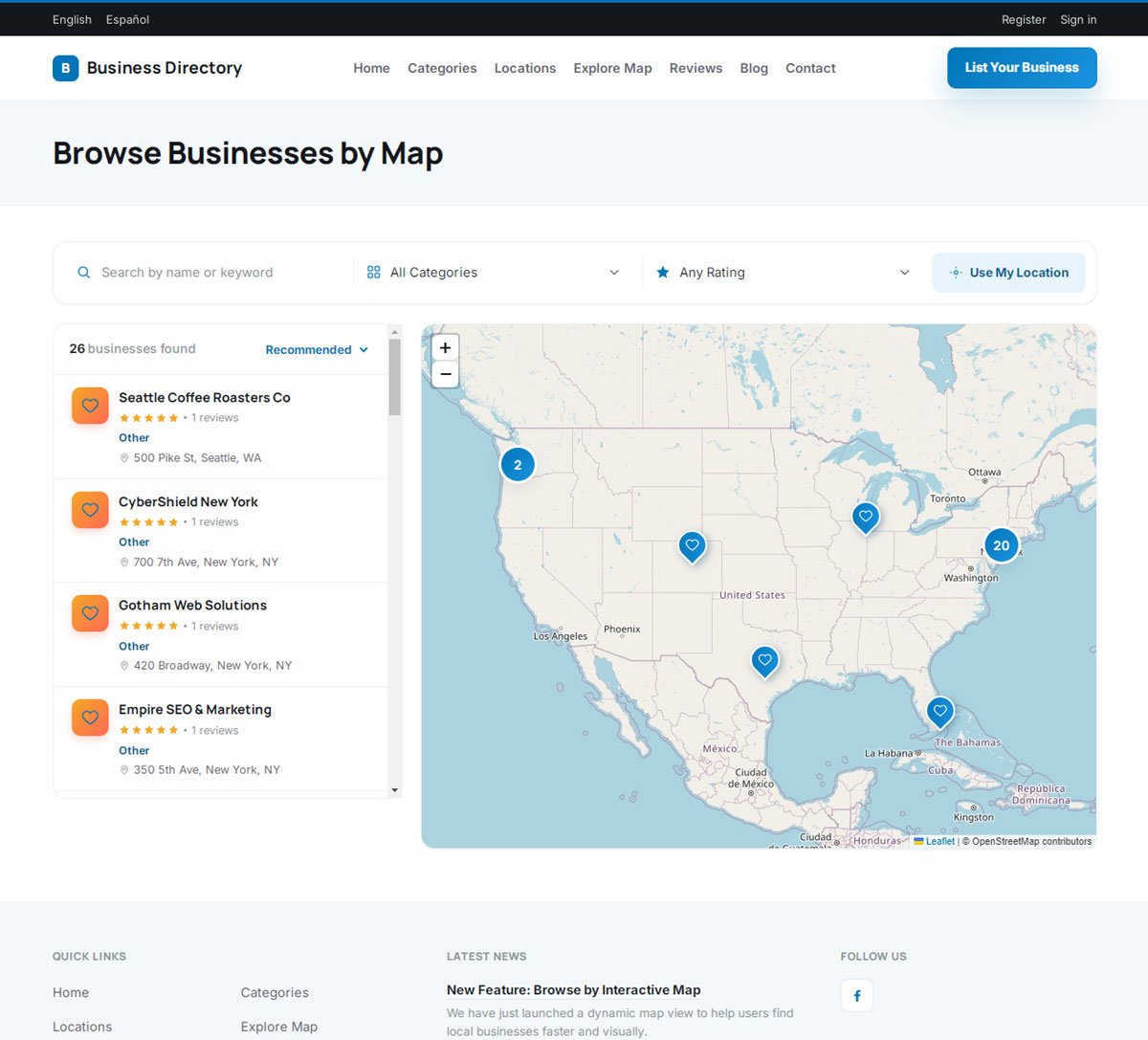
A split-screen "Browse Businesses by Map" view pairs an interactive map with a live results sidebar. Visitors filter by keyword, category, or minimum star rating — or tap "Use My Location" for instant, GPS-based results — and watch both the map pins and the sidebar update together, with no page reloads.

Every pin represents a potential customer inquiry. Listing cards in the sidebar carry star ratings, review counts, category badges, and addresses, giving visitors everything they need to pick a business and act — right at the moment their intent is highest.

  • Split-screen map + sidebar that update together in real time as filters change
  • One-tap "Use My Location" geolocation for instant, radius-based results
  • Combined filter bar: keyword, category, star rating, and sort order
  • Smart marker clustering so dense city centers stay readable, not cluttered
  • Rich sidebar cards with ratings, review counts, categories, addresses, and a save/favorite toggle
  • Built-in language switcher for serving multilingual local markets from the same map
  • Sticky header with login and "List Your Business" always visible while browsing
php business directory feature: interactive map search with one-click "near me" discovery

A Category System That Makes Millions of Listings Feel Simple

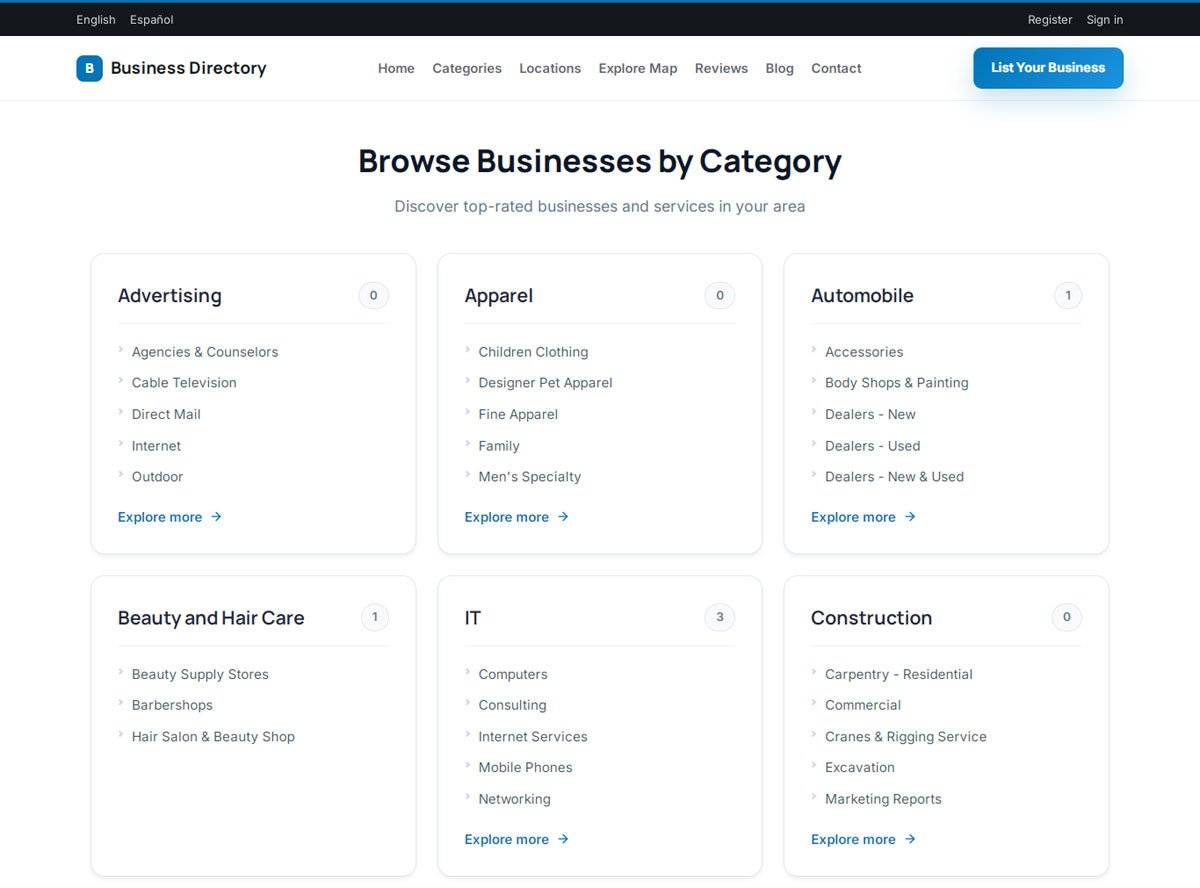
The "Browse Businesses by Category" page organizes any size database — from a single-city niche directory to a national multi-industry portal — into a clean visual grid of top-level sectors like Advertising, Apparel, Automotive, Beauty & Hair Care, IT, and Construction.

Each category card surfaces its most relevant subcategories and shows a live listing count, so visitors instantly know how much is inside before they click. "Explore more" links carry them straight into focused industry landing pages, keeping browsing fast and frustration-free.

  • Clean visual grid of main industries and their key subcategories
  • Multi-level hierarchy with instant subcategory previews on hover or tap
  • Live listing-count badges on every card, so density is obvious at a glance
  • One-click "Explore more" expansion into full category index pages
  • SEO-friendly internal linking that builds topical authority for every category
  • Built-in language switcher for presenting categories to international audiences
  • Sticky header keeping "List Your Business" one click away at all times
php business directory feature: a category system that makes millions of listings feel simple

Geo-Targeted Location Pages Built to Rank for Every City You Serve

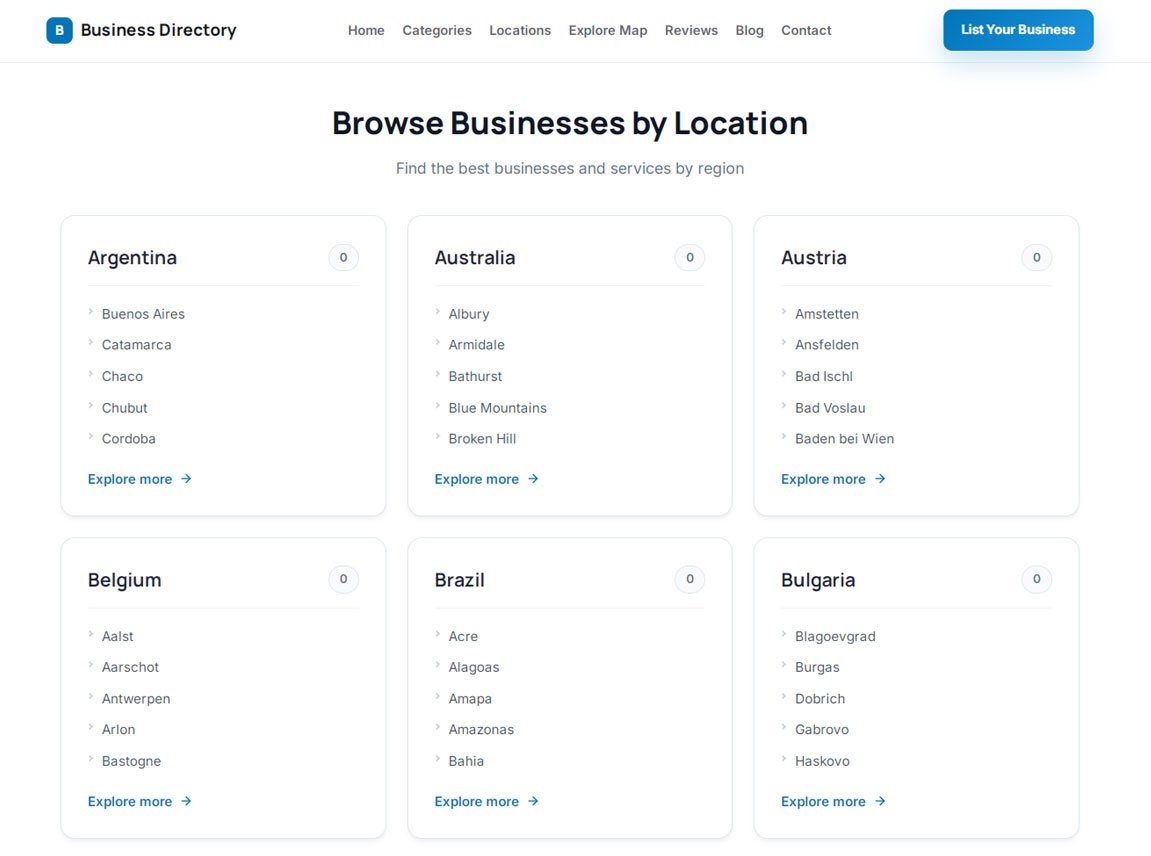
The "Browse Businesses by Location" page organizes listings by geography — country, state or province, region, and city — so a directory can grow from one city to an entire country without ever feeling disorganized. Visitors browse by tapping through familiar geographic levels, from a country grid down to individual towns.

Each location card shows a live listing count, giving visitors an instant sense of coverage before they click through, and "Explore more" links take them straight to dedicated city and regional pages designed to answer hyper-local searches.

  • Visual grid covering global, national, regional, and city-level browsing
  • Four-level geographic hierarchy: Country → State/Province → County → City
  • Live listing-count badges per location for instant coverage feedback
  • Direct sub-location links for fast city and regional navigation
  • "Explore more" links that expand deep regional indexes on demand
  • Geo-targeted internal linking built to capture "near me" and city-specific search traffic
  • Sticky header keeping "List Your Business" visible throughout browsing
php business directory feature: geo-targeted location pages built to rank for every city you serve

Search Results Visitors Can Actually Act On

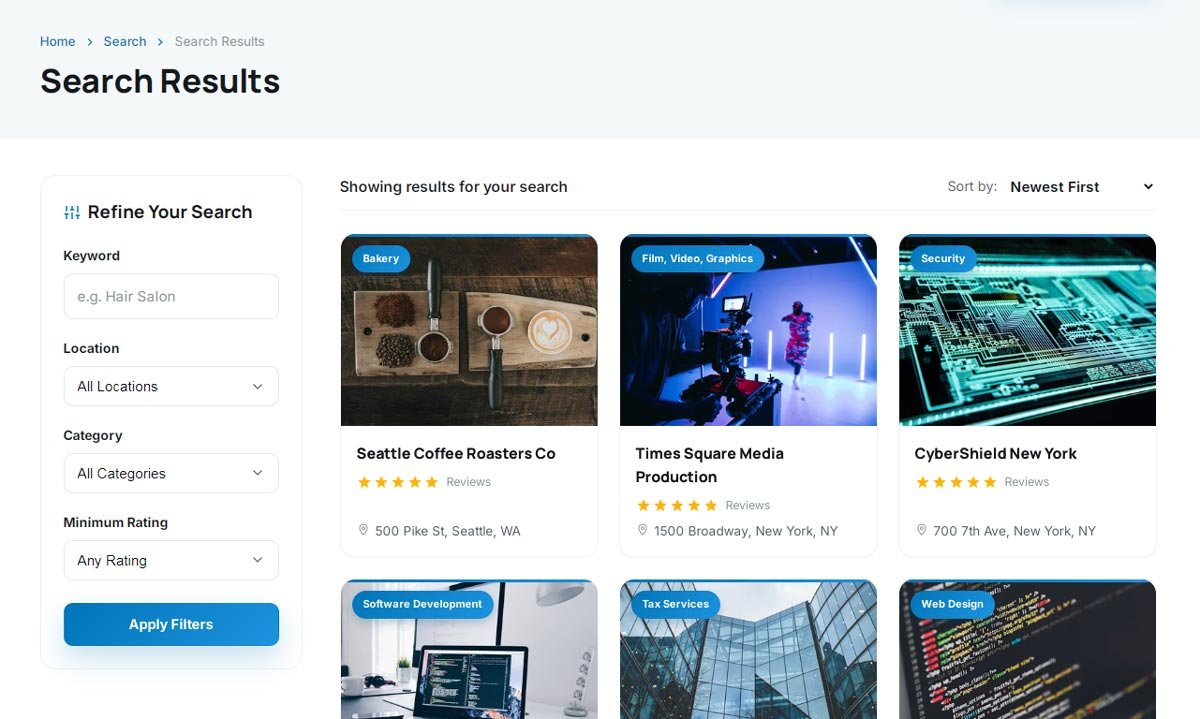
Every search resolves into a clean three-column grid, so visitors can compare several businesses at a glance. Each card works like a mini storefront — a cover photo, category badge, star rating, and exact address — giving visitors everything they need to shortlist a vendor in seconds.

A "Refine Your Search" sidebar turns that broad list into a precise shortlist: keyword, location, category, and minimum rating filters, plus flexible sorting, let a visitor go from "hair salons" to "5-star hair salons near me" in two clicks.

  • "Refine Your Search" sidebar with instant, no-reload filtering
  • Filter by keyword, location, category, and minimum star rating
  • Flexible sort order, including newest listings and best match
  • High-converting 3-column card grid that maximizes screen space
  • Rich cards with category badges, star ratings, and review counts
  • Clear address and map-pin indicators for hyper-local relevance
  • SEO-friendly breadcrumb trail (Home > Search > Results) for clean site structure
php business directory feature: search results visitors can actually act on

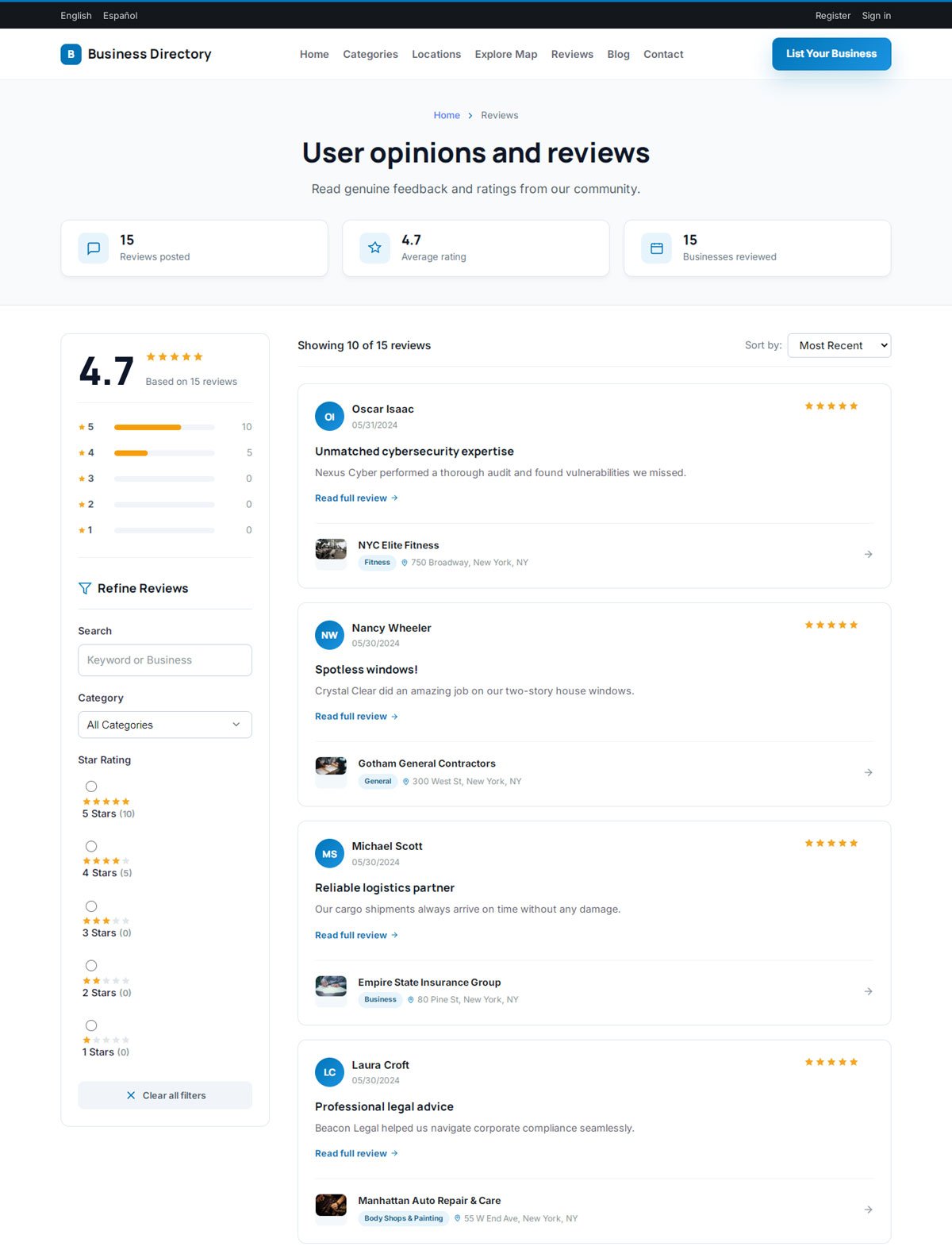
A Reviews Hub That Builds Trust Before a Visitor Ever Picks Up the Phone

The "User Opinions and Reviews" page is a dedicated social-proof center. Aggregate stats — total reviews, average platform rating, and total businesses reviewed — establish credibility the instant a first-time visitor arrives.

An interactive star-rating breakdown and a full filter suite (keyword, category, star rating) let visitors dig into authentic customer experiences across any industry or city, sorted by recency, rating, or helpfulness — with a one-click "Clear all filters" reset when they want to start over.

  • Live community stats bar: total reviews, average rating, businesses reviewed
  • Visual 1–5 star distribution chart for instant trust signals
  • Full sidebar filter suite: keyword/business search, category, and star rating
  • Flexible sorting: most recent, highest rated, or most helpful
  • Rich review cards with avatars, dates, headlines, ratings, and preview snippets
  • Direct business attribution on every review (name, category, location)
  • One-click "Clear all filters" reset for fast re-searching
php business directory feature: a reviews hub that builds trust before a visitor ever picks up the phone

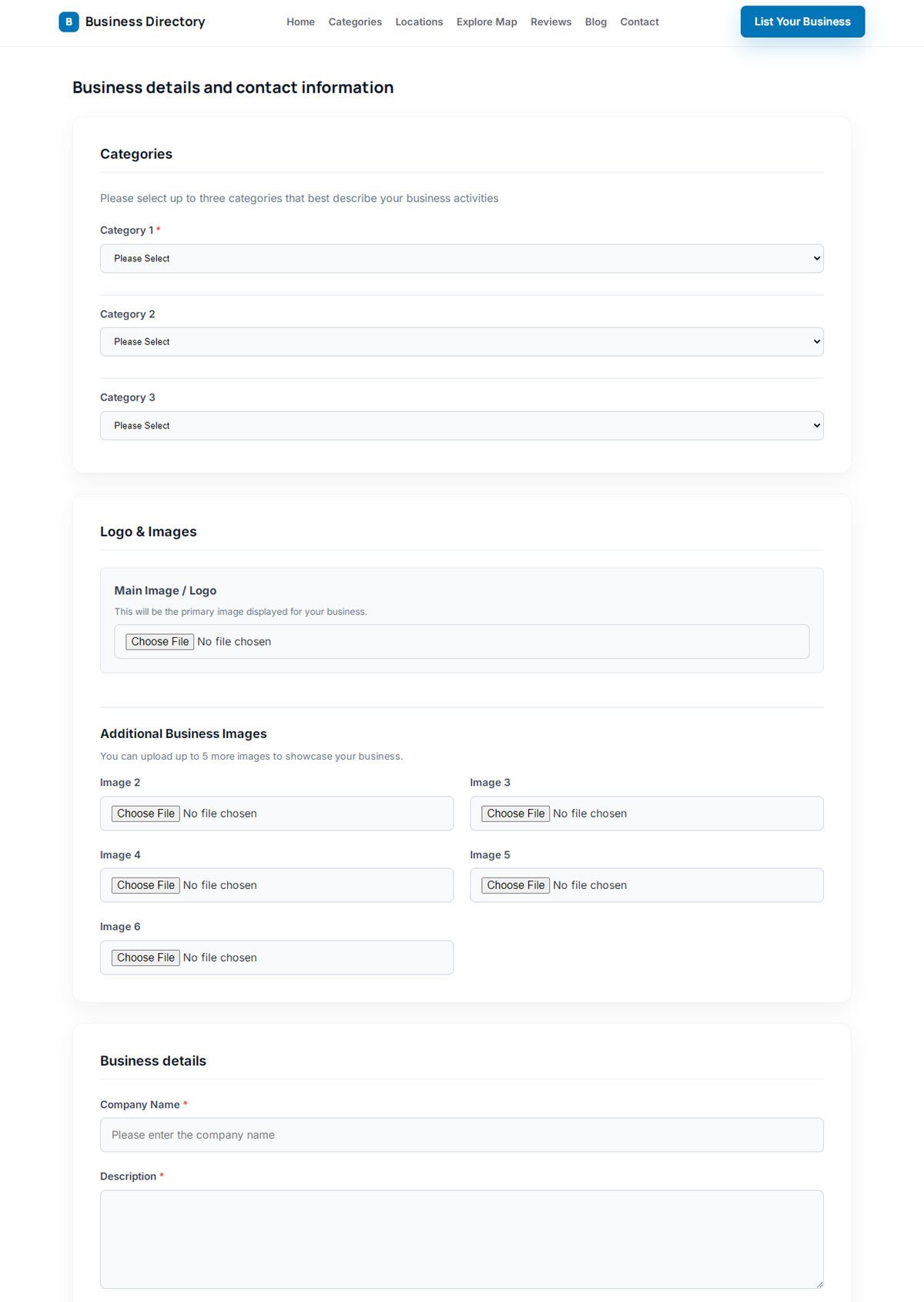
A Listing Form Vendors Actually Finish

The single biggest reason directories lose sign-ups is a submission form that feels like work. This one is built to be finished in minutes: business details, up to three category assignments for maximum exposure, and a media upload zone for a logo plus up to five gallery photos.

Letting a vendor claim up to three categories means a plumbing-and-heating company, for example, shows up everywhere a customer might look for either service — without creating duplicate listings or splitting their reviews.

  • Multi-category selector — up to 3 industry categories per listing for maximum exposure
  • Dedicated logo upload plus a 5-photo gallery for storefronts, work samples, or products
  • Clean core fields: company name, rich-text description, and key business details
  • Clear validation on required fields, keeping directory data consistent and complete
  • Fully responsive form that works as well on a phone as on a desktop
  • A frictionless funnel purpose-built to turn casual visitors into active listed vendors
php business directory feature: a listing form vendors actually finish

Business Profile Pages Designed to Get Vendors Contacted

Every listing becomes a full digital storefront with a clean tabbed layout — Details, Map, Share this Listing, Write a Review — so visitors get the full picture without endless scrolling. The header leads with the business name, logo, star rating, and direct-action buttons for printing, booking, and messaging.

A built-in social suite lets visitors share any listing in one click to Facebook, X, LinkedIn, WhatsApp, Telegram, Pinterest, or Reddit — or send a personal recommendation by email — turning every satisfied customer into an unpaid promoter for your vendors and free referral traffic for your directory.

  • Organized tabbed layout: Details, Map, Share this Listing, Write a Review
  • Action header with Print, Book, and Send a Message buttons up top, where visitors see them first
  • One-click sharing to Facebook, X, LinkedIn, WhatsApp, Telegram, Pinterest, and Reddit
  • Built-in "recommend to a friend" email referral form for organic, word-of-mouth growth
  • Contact sidebar with address, phone, and website — always visible
  • Quick "View on Map" link right beside the contact details
  • SEO-friendly breadcrumb trail (Home > Category > Business Name) for clean navigation
php business directory feature: business profile pages designed to get vendors contacted

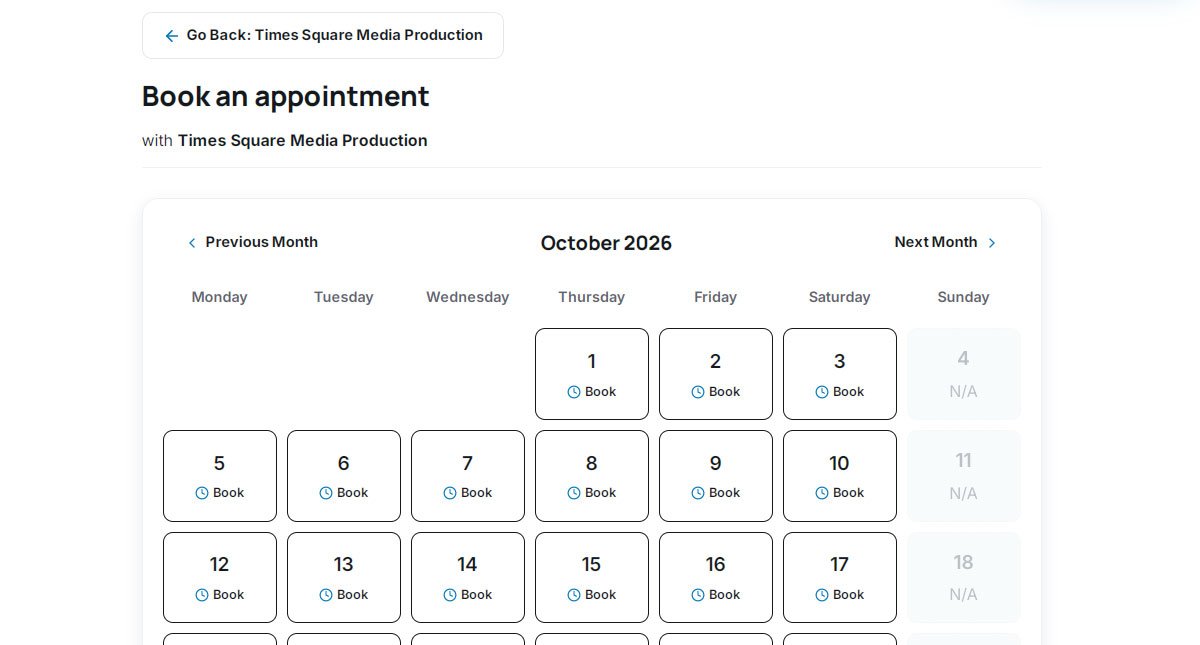
On-Site Appointment Booking That Converts Browsers Into Bookings

A built-in scheduling system lets visitors book directly with a vendor without ever leaving your directory — the moment someone finds a highly-rated business, they can secure a time slot right there. A simple monthly calendar shows availability at a glance, with clear "Book" buttons on open days and "N/A" on days that are closed.

The flow is designed to feel effortless: browse the calendar, pick an open date, confirm — with a clear "Go Back" link to return to the vendor's profile if a visitor wants to see more first.

  • Interactive monthly calendar with simple back-and-forth month navigation
  • Clear day-by-day availability grid so open dates are obvious at a glance
  • Explicit "Book" buttons on open days, "N/A" on unavailable ones
  • Direct vendor attribution, so visitors always know exactly who they're booking
  • One-click return to the vendor's profile from anywhere in the booking flow
  • Fully touch-optimized for smartphones and tablets
php business directory feature: on-site appointment booking that converts browsers into bookings

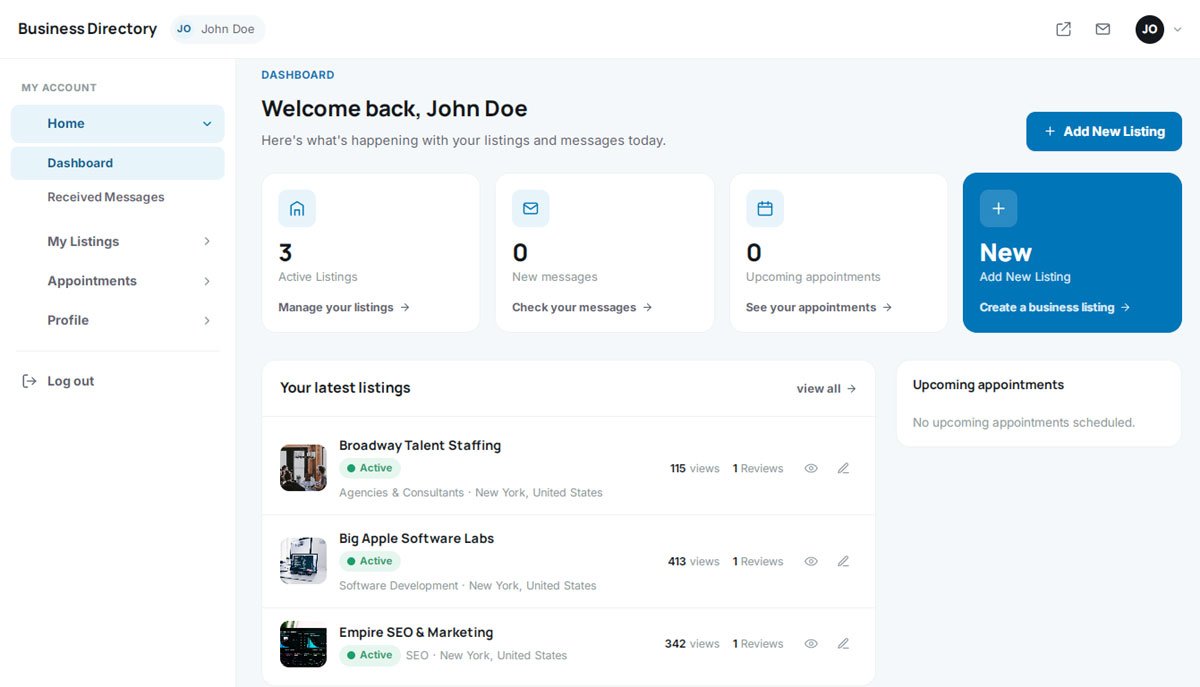
A Vendor Dashboard That Proves ROI Without a Single Support Ticket

Every merchant gets a self-service dashboard to manage listings, track profile views, and monitor incoming leads — without ever needing to email your support team. It's the kind of clean, SaaS-style control panel that makes a subscription feel like a real tool instead of a line-item expense.

From one screen, a vendor can check new messages, see upcoming appointments, and add another listing in a couple of clicks — with "+ Add New Listing" built right into the flow as a natural upsell moment.

  • Central hub for managing multiple active business listings
  • At-a-glance metrics: real-time profile views and review counts
  • Integrated lead tracking for unread messages and upcoming appointments
  • Built-in "+ Add New Listing" upsell, right where vendors are already active
  • Clean sidebar navigation: My Listings, Received Messages, Profile
  • Fully mobile-responsive, so vendors can manage leads from anywhere
php business directory feature: a vendor dashboard that proves roi without a single support ticket

A Vendor-Side Booking Manager for Every Confirmed Appointment

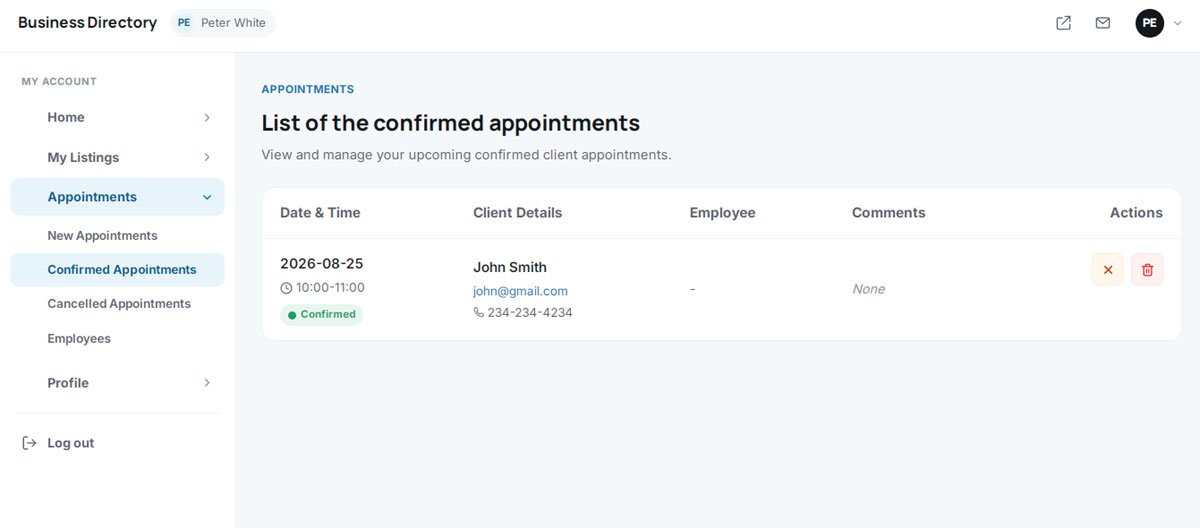
While visitors book through the calendar on a listing page, vendors manage every one of those bookings from a dedicated "Appointments" hub inside their dashboard — tracking new requests, confirmed bookings, and cancellations from a single screen.

A clear table view shows date, time, and live status for every appointment, with instant access to the client's name, email, and phone number — everything a vendor needs to prepare for or follow up on a job, with no separate software required.

  • Dedicated "Appointments" hub tracking New, Confirmed, and Cancelled bookings
  • Clear table view of date, time, and live status for every appointment
  • Instant access to client contact details — name, email, and phone
  • Built-in employee assignment for multi-staff businesses
  • One-click cancel or delete for any scheduled appointment
  • A high-retention feature that gives vendors a daily reason to stay subscribed
php business directory feature: a vendor-side booking manager for every confirmed appointment

Multi-Staff Scheduling for Salons, Clinics, and Growing Teams

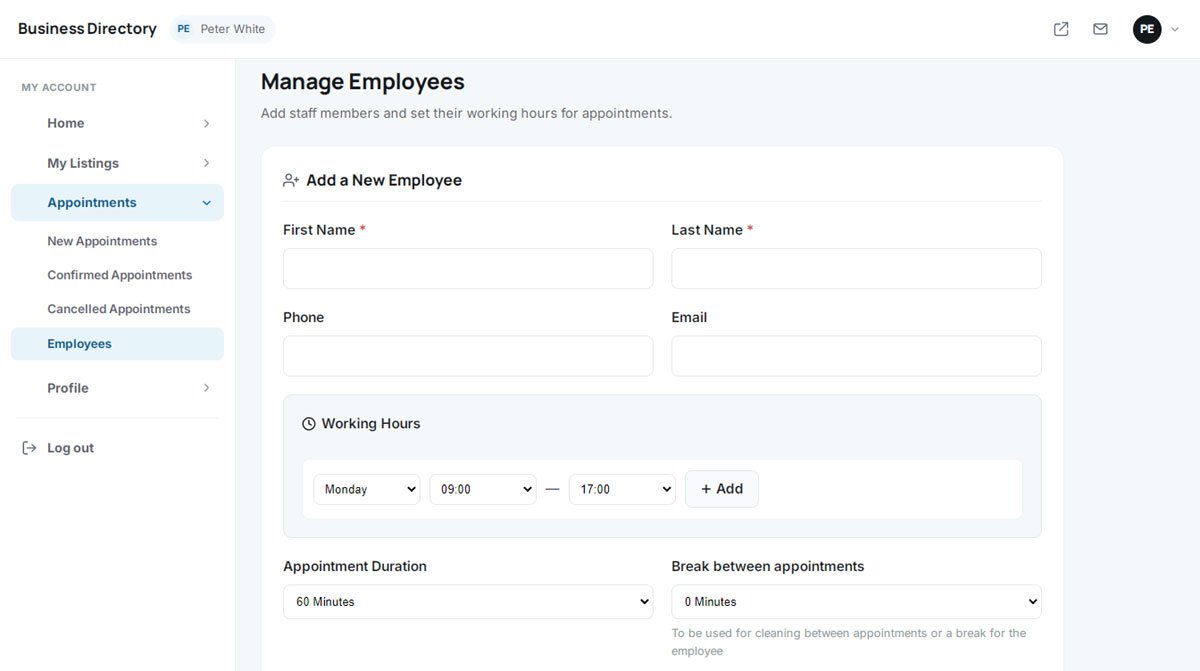
Higher-value vendors — clinics, salons, law firms, anyone with more than one person taking appointments — need more than a single shared calendar. A dedicated "Manage Employees" module lets merchants add staff members and set individual availability for each one.

Owners can define daily working hours, set a standard appointment duration, and automatically build in a break between bookings — the kind of scheduling logic that busy, multi-person businesses actually need to run smoothly.

  • Dedicated "Employees" panel inside the vendor's Appointments dashboard
  • Simple "Add a New Employee" form for name, phone, and email
  • Per-employee "Working Hours" configurator for exact daily shifts
  • Custom appointment duration settings for precise calendar blocking
  • Automated breaks between appointments to prevent back-to-back overbooking
php business directory feature: multi-staff scheduling for salons, clinics, and growing teams

A Pricing Table Vendors See the Moment They're Ready to Upgrade

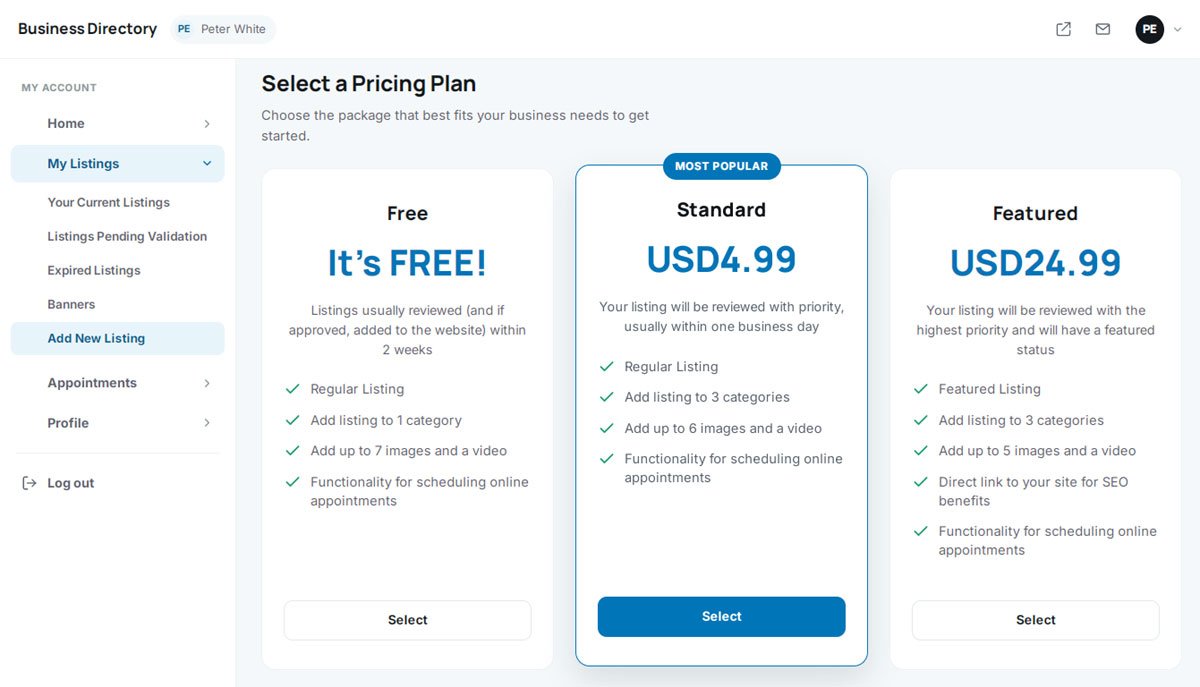
When a vendor adds a new listing, they're guided straight into a clean, side-by-side pricing comparison — Free, Standard, and Premium — right inside the flow they're already in. There's no separate checkout to hunt for and no reason to abandon the upgrade decision.

A free entry tier gets everyone in the door; a "Most Popular" badge and clear premium perks — priority review, extra categories, a do-follow SEO backlink — do the rest of the selling for you, automatically, every single time someone lists a business.

  • Fully customizable tiers (Free, Standard, Featured — or your own names) for any market
  • Conversion-optimized pricing table with a "Most Popular" highlight badge
  • Granular plan limits: categories, photo/video uploads, and booking access
  • Premium SEO incentive — a direct link to the vendor's site — as a clear reason to upgrade
  • Faster admin review turnaround (e.g. "within one business day") as a paid-tier perk
  • Built directly into the "Add New Listing" flow, not a separate step
php business directory feature: a pricing table vendors see the moment they're ready to upgrade

Self-Service Banner Ads — a Second Revenue Stream on Autopilot

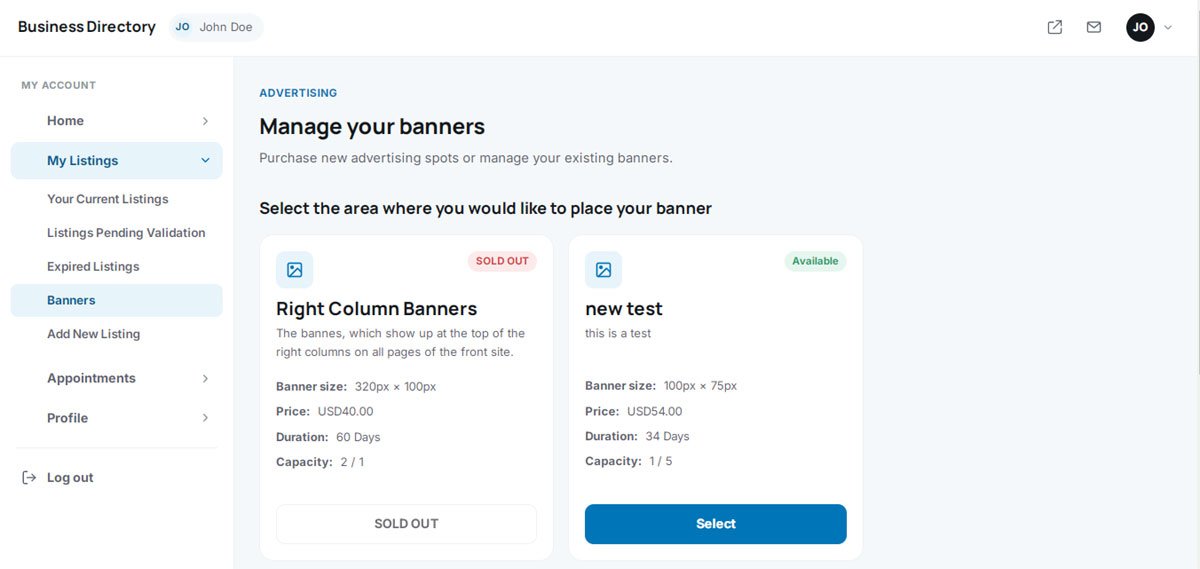
Membership fees don't have to be your only income source. A built-in banner ad marketplace lets vendors buy premium ad placements directly from their dashboard, with zero back-and-forth and zero manual invoicing on your end.

Vendors browse available ad zones, see exact dimensions, price, and duration up front, and purchase a spot instantly — while you simply define the zones once and let the system handle sales, availability, and rotation.

  • Self-service "Manage your banners" section built into the vendor dashboard
  • Live inventory status on every ad zone — Available or Sold Out
  • Configurable ad parameters: exact size, price, and campaign duration
  • Automatic inventory limits to control rotation and prevent overselling
  • One-click purchase flow for zones like "Right Column Banners"
php business directory feature: self-service banner ads — a second revenue stream on autopilot

A Built-In Blog That Captures Traffic Your Listings Can't

A "News & Updates" hub lets you publish guides, announcements, and local business content directly on your platform — no separate WordPress install, no third-party plugin. A magazine-style grid presents each article with a cover image, publish date, and excerpt, plus a "Read Full Article" link.

A search widget and a "Recent Posts" sidebar keep readers exploring, turning a single article visit into several — and giving you a steady, on-site channel for reaching the local business owners you want as vendors.

  • Native blog and news engine — no external CMS or plugin required
  • Magazine-style article grid with cover images, dates, and excerpts
  • Sidebar search widget for instant article discovery
  • "Recent Posts" widget with thumbnails to keep readers browsing
  • SEO-friendly permalinks built to capture informational search traffic
  • A direct channel for guides, announcements, and platform updates
  • Fully responsive reading experience on mobile, tablet, and desktop
php business directory feature: a built-in blog that captures traffic your listings can't

A Self-Service FAQ That Answers Questions Before Support Has To

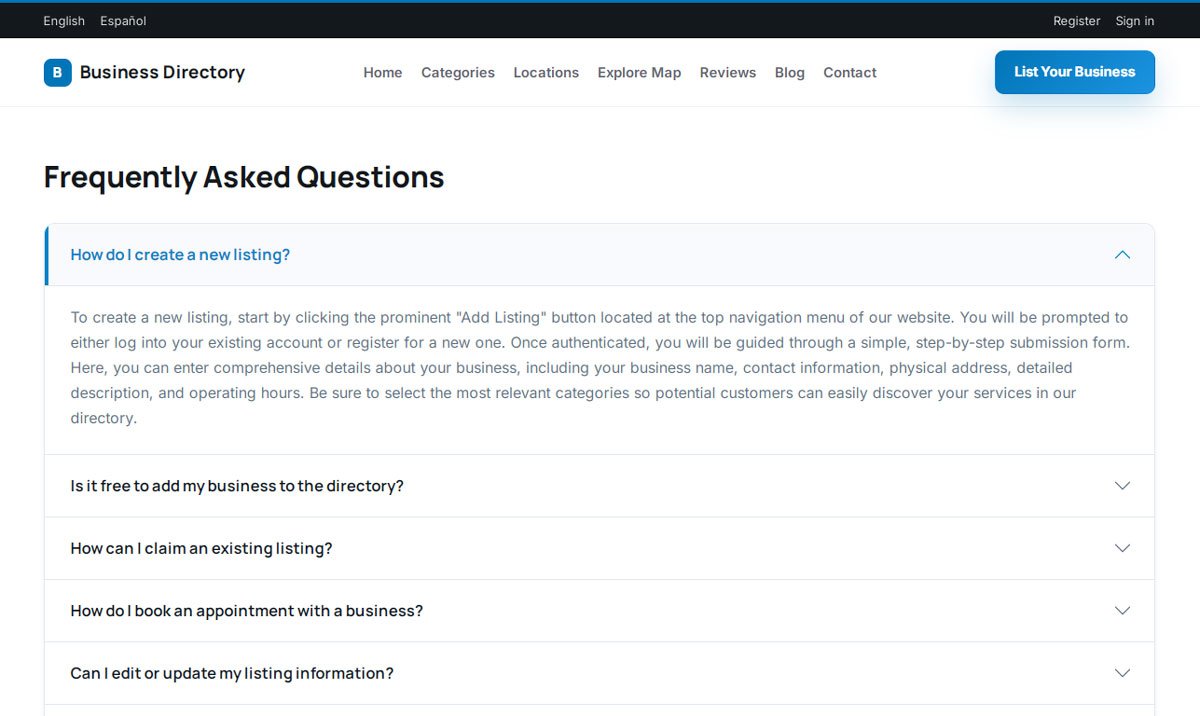
A built-in FAQ page answers the questions vendors and visitors ask most — how to create a listing, claim a business, or book an appointment — in a clean, expandable accordion layout that stays tidy no matter how many questions it holds.

Each answer walks the user through the exact steps, so common questions about pricing, editing a listing, or registering an account get resolved without ever reaching your inbox.

  • Clean accordion layout that keeps dozens of answers organized and scannable
  • Pre-built questions covering listings, claims, and appointment booking
  • Step-by-step answers inside every expandable panel
  • A genuine self-service layer that cuts repetitive support tickets
  • Naturally SEO-friendly copy that captures long-tail, question-style searches
  • Sticky header keeping "List Your Business" visible throughout
php business directory feature: a self-service faq that answers questions before support has to

Registration Built for One Thing: Getting People Signed Up

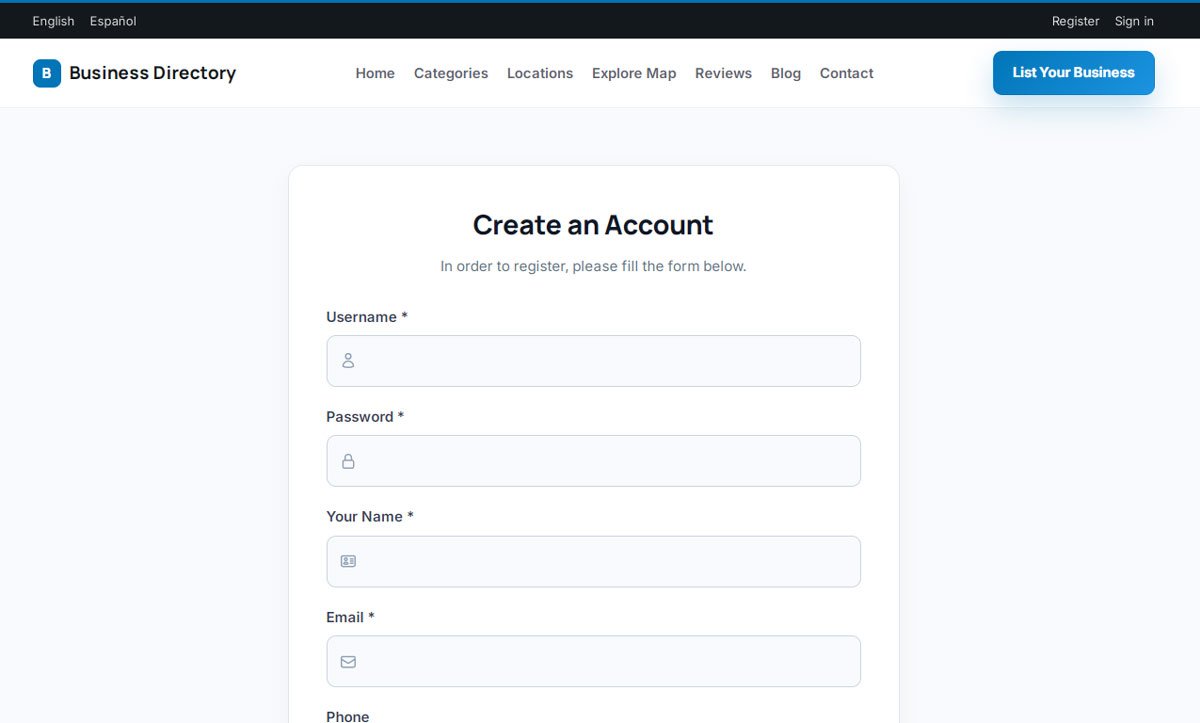
The "Create an Account" page is short by design — a distraction-free form asking only for what's essential: username, password, name, email, and phone. Clear icons and asterisked required fields keep it fast for a casual reviewer and a business owner alike.

Every account created here is a step toward your monetization funnel — the same registration serves the consumer leaving a review today and the vendor claiming a premium listing tomorrow.

  • Distraction-free, single-screen account creation
  • Icon-enhanced fields for fast, intuitive data entry
  • Clear required-field indicators for smooth completion
  • One registration flow that serves both consumers and vendors
  • Fully responsive layout for flawless mobile sign-ups
  • Persistent header with language toggle and "List Your Business" CTA
php business directory feature: registration built for one thing: getting people signed up

A Contact Form That Filters Spam and Captures Real Leads

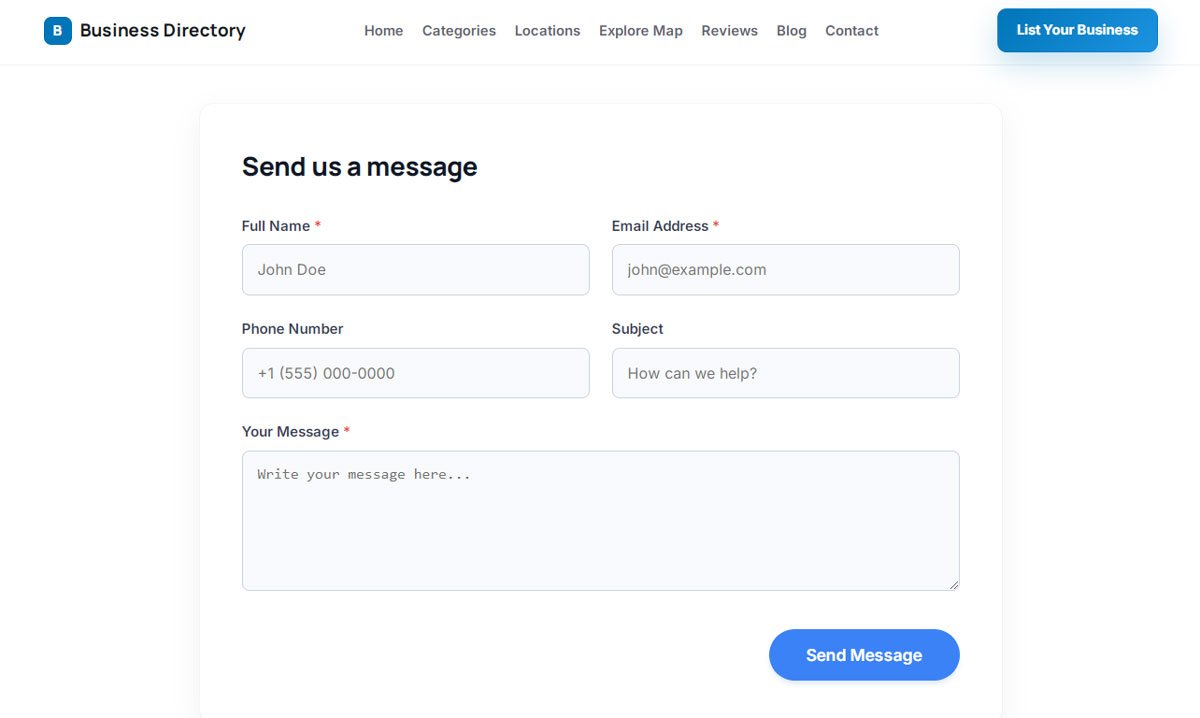
A clean "Send us a message" form gives visitors, shoppers, and prospective vendors an easy way to reach your team — with a two-column layout for name, email, phone, subject, and message that feels quick to fill out.

Required fields (name, email, message) are clearly marked, optional fields add context without adding friction, and built-in anti-spam protection keeps automated junk out of your inbox entirely.

  • Clean, high-conversion "Send us a message" layout
  • Smart two-column field arrangement that maximizes screen space
  • Clear required-field markers for complete, usable submissions
  • Helpful placeholder text guiding correct formatting
  • Prominent, high-contrast submit button
  • Built-in spam protection so your inbox stays focused on real people
  • Persistent navigation keeping "List Your Business" accessible throughout
php business directory feature: a contact form that filters spam and captures real leads

One Command Center for Your Entire Directory Business

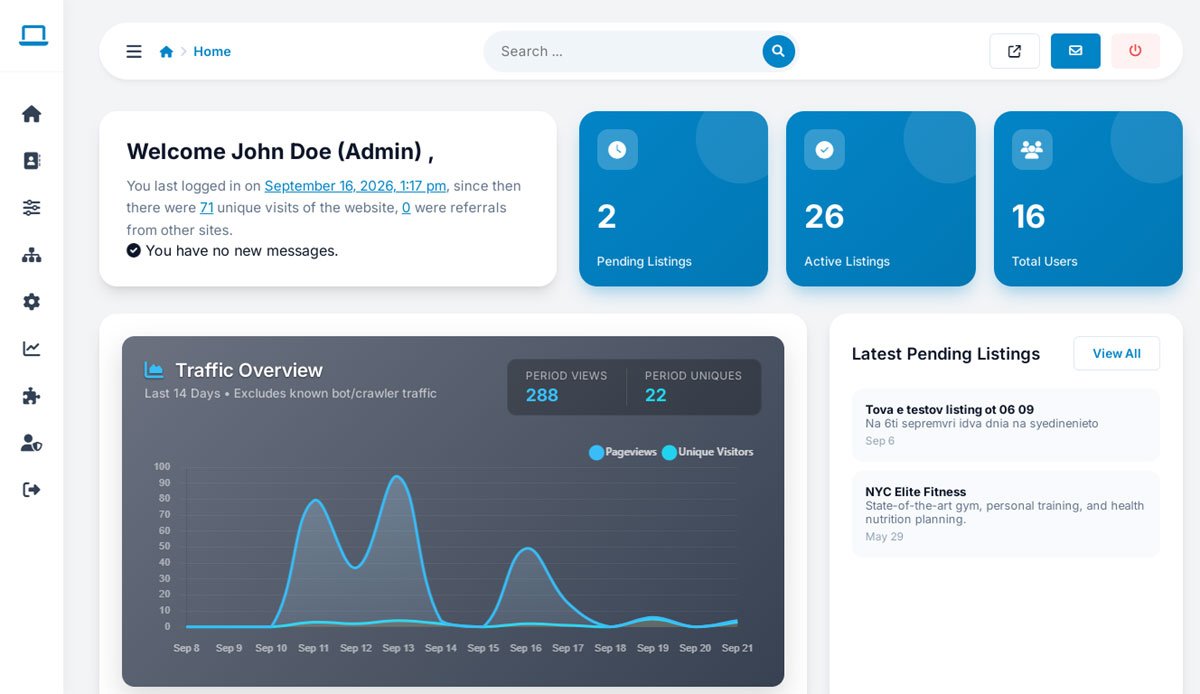
Run the whole platform from a single, clean admin panel: review vendor submissions, approve claim requests, track earnings, and manage site settings — all without hopping between disconnected screens.

Priority queues, bulk actions, fast search filters, and clear operational summaries mean nothing important gets buried, even as your directory grows into thousands of listings and accounts.

  • Unified dashboard showing key metrics at a glance
  • Pending approval and verification queues, always front and center
  • Transaction history, invoice tracking, and revenue logs in one place
  • Quick-access shortcuts for the tasks you handle every day
php business directory feature: one command center for your entire directory business

Moderate Thousands of Listings Without Losing Track of Any of Them

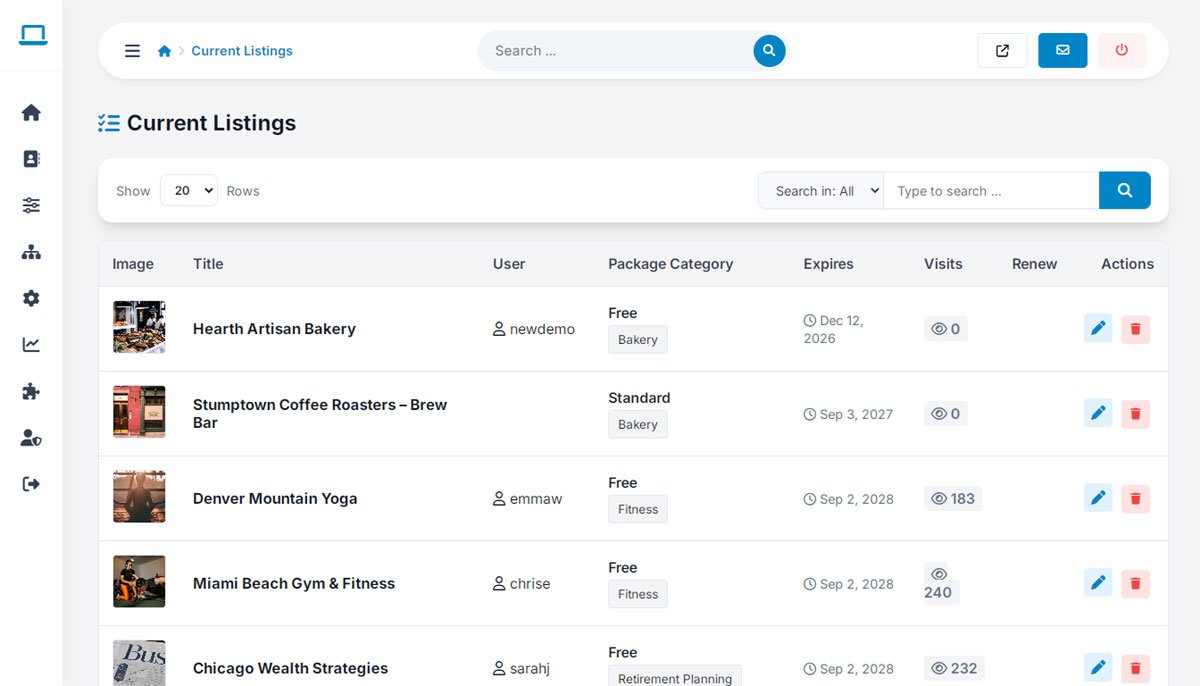
A "Current Listings" management table gives you real-time visibility into every active listing — package tier, expiration date, and view analytics — from one searchable, filterable screen.

Fast search and row filters mean you can find, edit, renew, or remove any listing in seconds, even when your database has grown into the thousands.

  • Central "Current Listings" table with thumbnails, titles, owners, and categories
  • Clear tier and category badges on every row
  • Real-time view counters to spot your top-performing listings
  • Subscription expiration dates tracked automatically for every listing
  • Direct link from every listing to its owning user account
  • One-click edit, delete, and manual renewal actions
  • Fast search and filtering built for databases with thousands of entries
php business directory feature: moderate thousands of listings without losing track of any of them

Turn Pre-Loaded Listings Into Paying Customers With the Claim Workflow

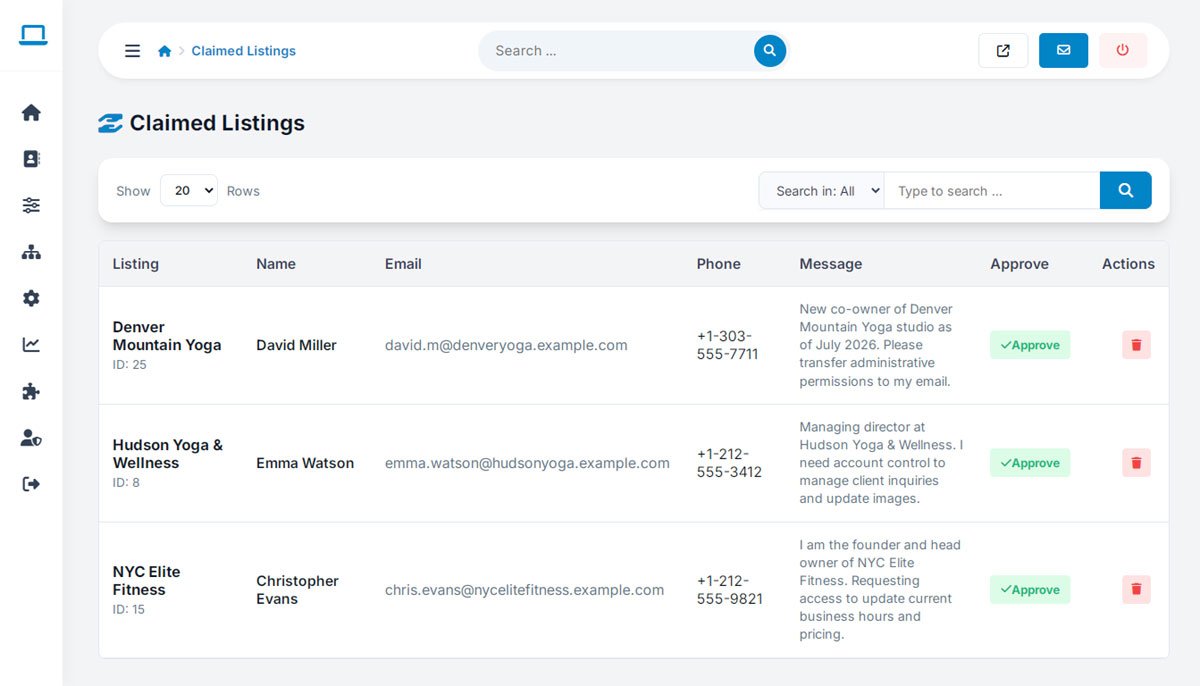
Seed your directory with real business records from day one, then let the actual owners claim them. A "Claim This Business" button lets any owner request verified ownership of a pre-existing listing, converting a cold database entry into an active, paying account.

Once you approve a claim, ownership transfers automatically — and the new vendor lands straight in their dashboard, primed to upgrade, add photos, and expand their profile.

  • Pre-populate your directory instantly, with no waiting for organic sign-ups
  • "Claim This Business" action on any unverified listing
  • Admin verification queue for secure, controlled approvals
  • Instant upgrade path the moment a claim is approved
php business directory feature: turn pre-loaded listings into paying customers with the claim workflow

A CRM-Style View of Every Merchant and Consumer on Your Platform

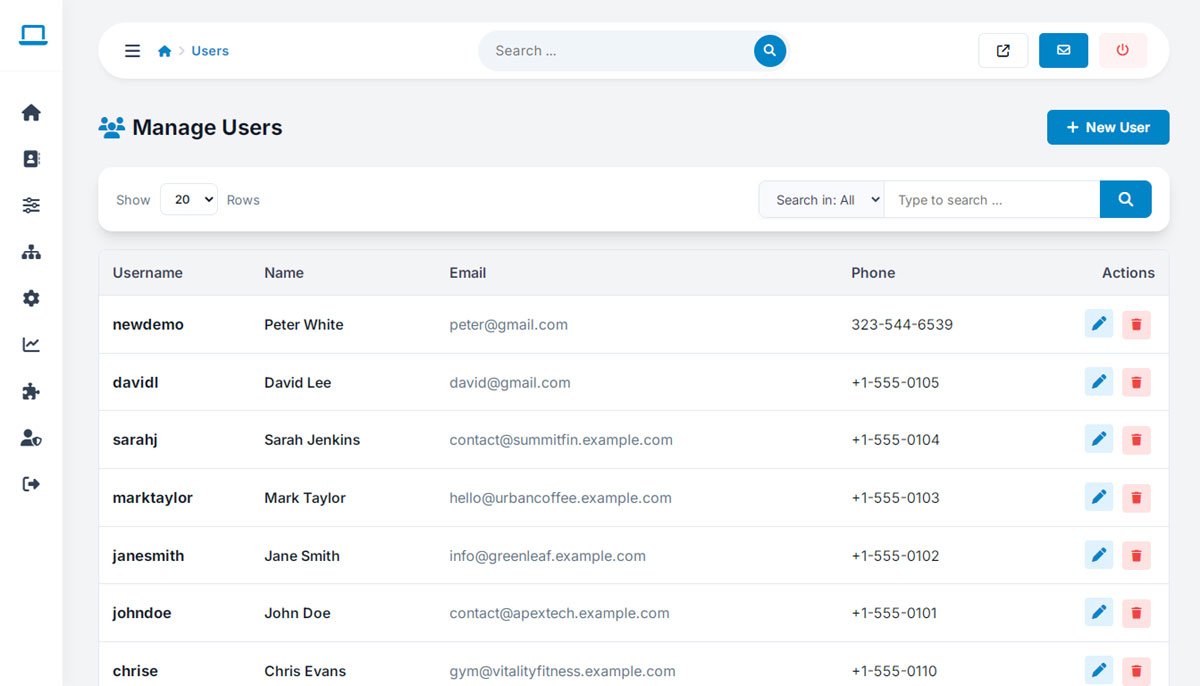
A centralized "Manage Users" panel gives you a real-time view of every registered account — merchants and consumers alike — with instant lookup, direct contact details, and one-click editing.

Whether you're onboarding a new advertiser manually or supporting an existing user, everything you need is in one searchable table.

  • Centralized "Manage Users" panel for your entire account database
  • Instant "+ New User" button for fast manual account creation
  • Structured table showing username, name, email, and phone
  • One-click editing and account deletion
  • Real-time search with configurable row pagination
  • Direct access to contact details for support and outreach
php business directory feature: a crm-style view of every merchant and consumer on your platform

Build Your Own Pricing Tiers From the Admin Panel

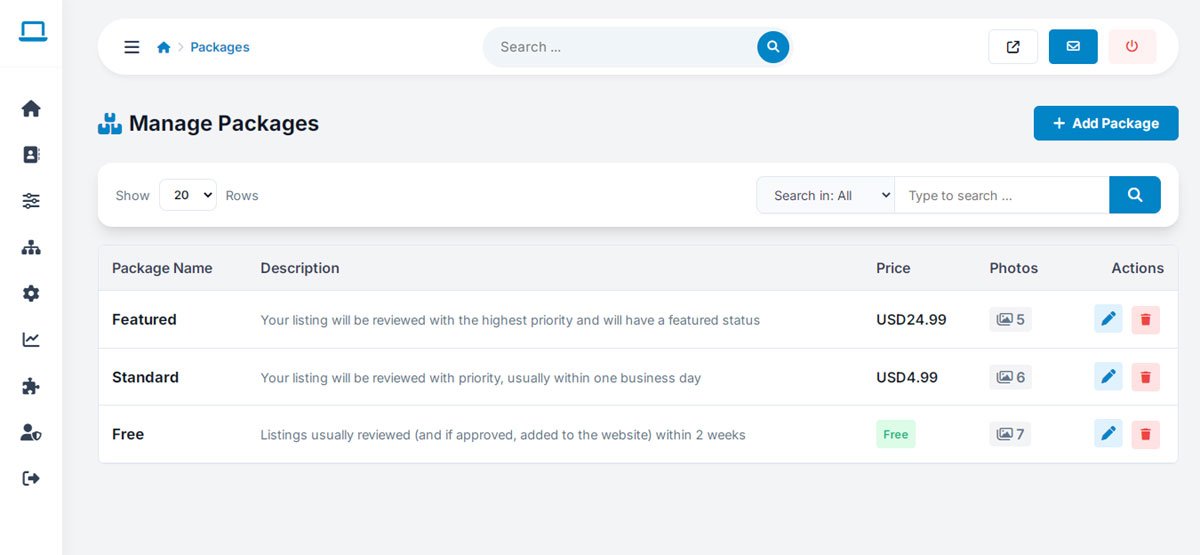
A "Manage Packages" panel puts your entire monetization model under your own control — create, adjust, or retire a subscription tier in seconds, with the "+ Add Package" button always one click away.

Set your own pricing, photo allowances, and priority-review perks for every tier, so free listings convert into high-margin recurring revenue on terms you decide.

  • Instant package creation with a single "+ Add Package" action
  • Flexible tier configuration for Free, Standard, and Featured plans
  • Granular photo-limit control per tier
  • Custom package descriptions to highlight tier-specific perks
  • One-click editing and deletion for rapid updates
  • Built-in search and filtering for managing many packages at once
php business directory feature: build your own pricing tiers from the admin panel

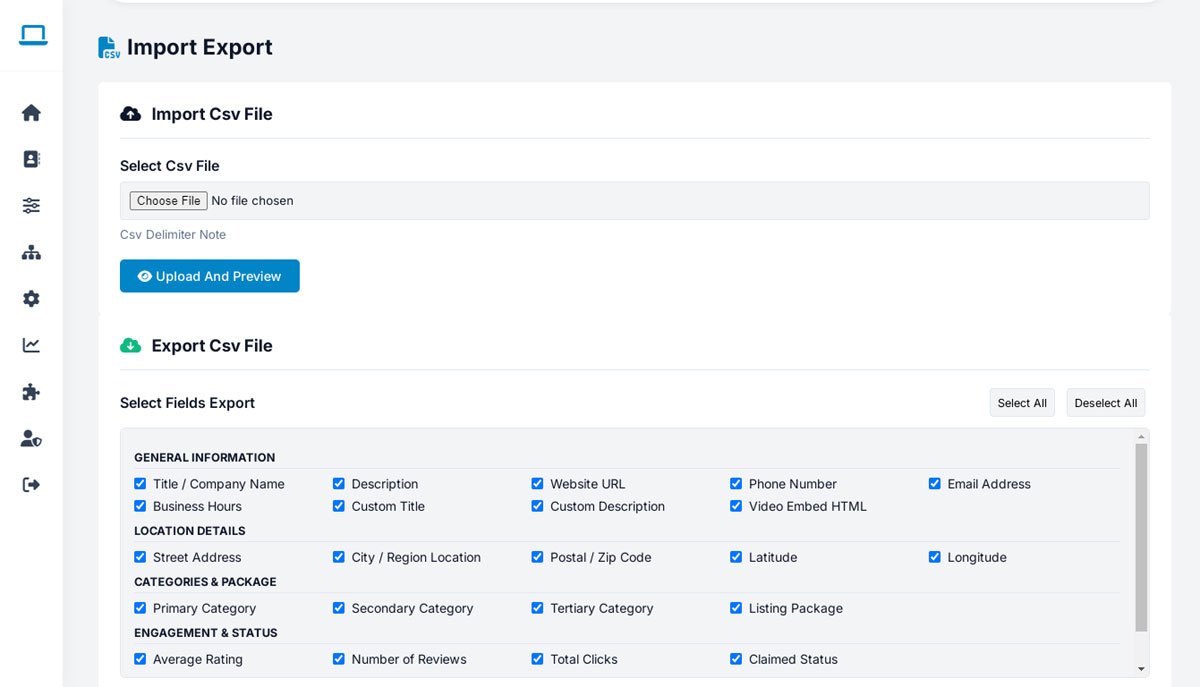
Populate a New Directory Overnight With Bulk CSV Import & Export

Skip months of manual data entry. Batch-upload thousands of business records with a preview-and-map workflow, and go from an empty database to a fully stocked local portal in a single evening.

Export is just as flexible — pull exactly the fields you need, from contact info and GPS coordinates to review counts and claim status, for marketing campaigns, CRM syncs, or full backups.

  • Fast CSV import with an upload-and-preview mapping step
  • Granular field export with Select All / Deselect All controls
  • Export general info: name, description, phone, email, website, hours
  • Export location data: address, city, region, postal code, latitude/longitude
  • Export category and package mappings across all listing tiers
  • Export engagement data: rating, review count, clicks, and claim status
php business directory feature: populate a new directory overnight with bulk csv import & export

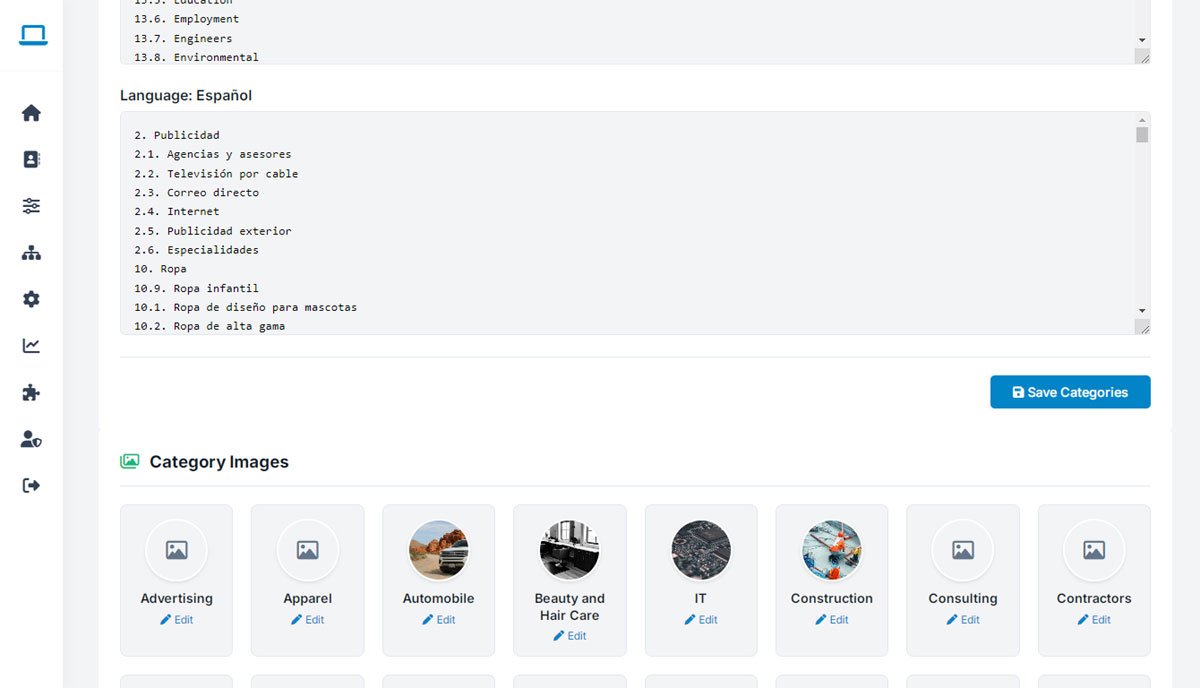
Manage Categories and Visual Thumbnails in Every Language You Serve

Edit your entire category hierarchy — and translate it for every market you serve — from one panel. Assign a custom visual thumbnail to each industry in seconds, so category browsing feels polished, not generic.

A simple text-based editor with a single "Save Categories" button makes restructuring, renaming, or translating categories a five-minute task instead of a database migration.

  • Multi-language category editor for international directory expansion
  • Instant text-based hierarchy editing with one-click saving
  • Visual "Category Images" manager for one-click thumbnail replacement
  • Custom thumbnail grid for key industries like Advertising, Automotive, IT, and Construction
  • SEO-friendly category structure built to rank for industry keywords
  • No-code interface — no template editing, no database work
php business directory feature: manage categories and visual thumbnails in every language you serve

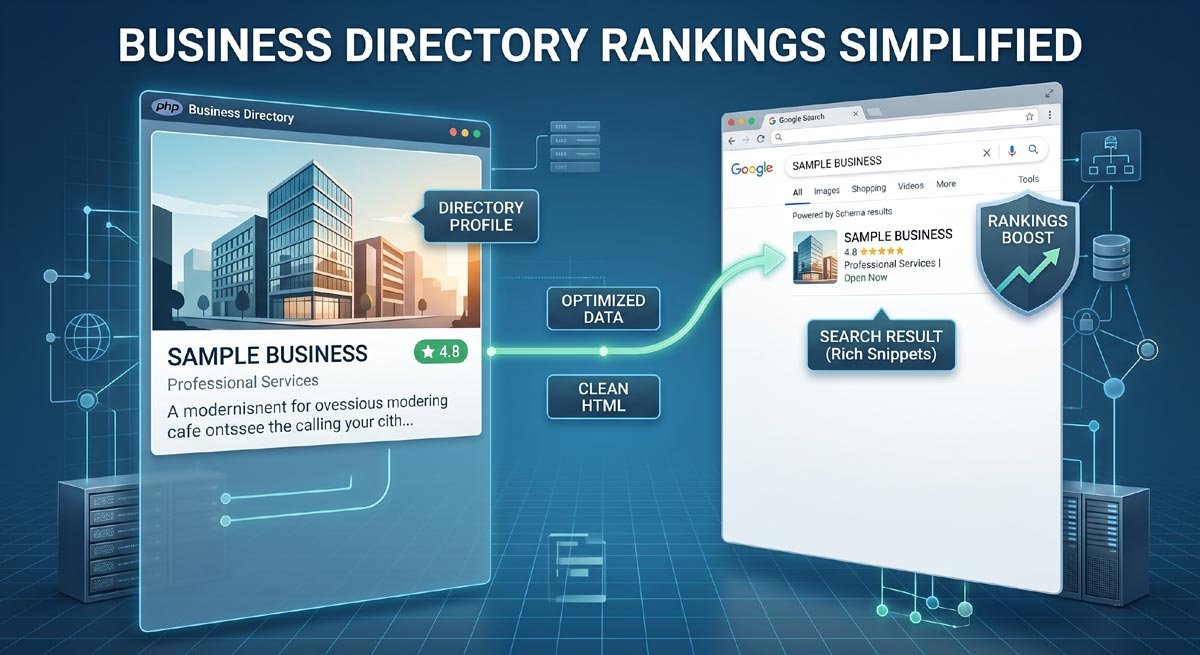
Local SEO Built In: Clean URLs, Schema Markup, and XML Sitemaps

Every listing, category, and location page ships with search-friendly URLs, dynamic meta tags, automated XML sitemaps, and rich Schema.org structured data — no plugins, no manual configuration.

That means review stars, business hours, and price ranges can appear directly in Google's search results, well before a visitor ever clicks through to your site.

  • Clean, human-readable URL structures across the entire platform
  • Automatic Schema.org LocalBusiness structured data on every listing
  • Customizable meta title and description templates per category
  • Automated XML sitemaps for fast, complete search indexing
php business directory feature: local seo built in: clean urls, schema markup, and xml sitemaps

Prove Real ROI to Every Vendor With Built-In Analytics

Track exactly what happens on every listing: profile views, phone-number clicks, website link redirects, and lead-form submissions — visible in both the admin panel and the vendor dashboard, with no third-party tracking script required.

When a merchant logs in and sees precisely how many people viewed their profile and clicked to call, the value of their subscription stops being a claim and becomes a fact.

  • Full portal-wide traffic and interaction metrics
  • Listing-level view counters and engagement stats
  • Click-to-call and website redirect tracking
  • Downloadable lead and activity reports
php business directory feature: prove real roi to every vendor with built-in analytics

Fine-Tune Every Layout Detail Without Writing a Line of Code

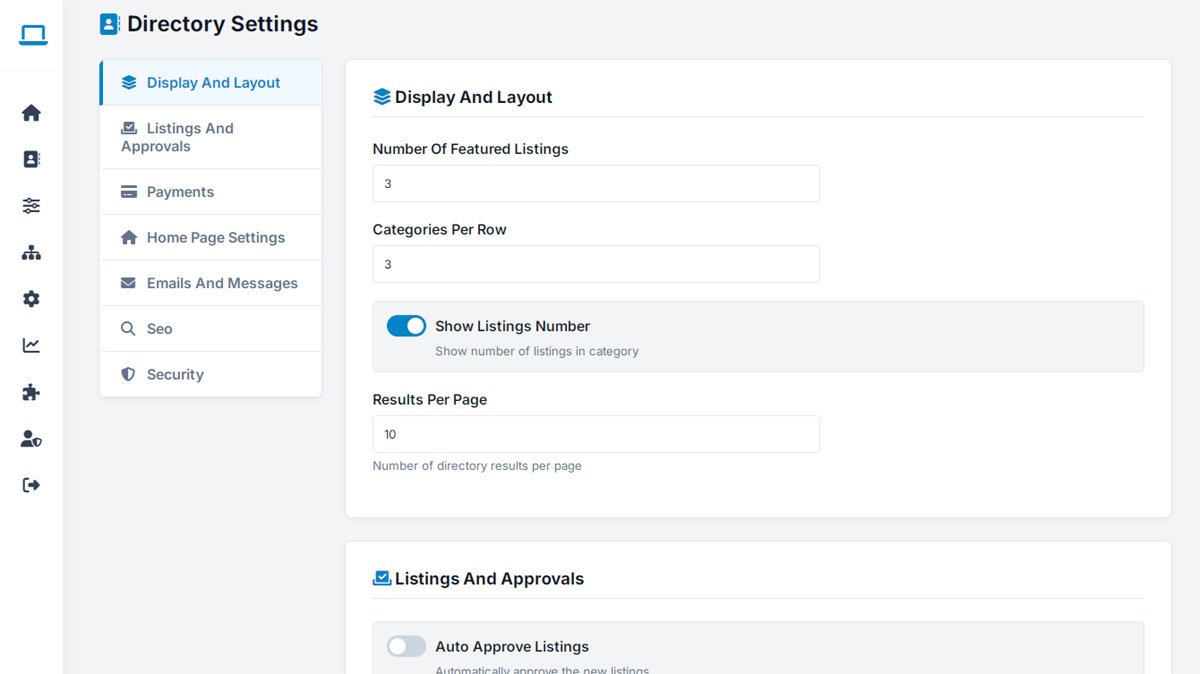
A "Directory Settings" hub puts layout, approvals, payments, emails, SEO, and security under one roof — no code required. Adjust the number of featured listing slots, control category grid columns, or toggle listing counts on and off with a single click.

Automation lives here too: decide whether new submissions publish instantly or wait in a moderation queue, with the "Auto Approve Listings" toggle switching between the two in one click.

  • Comprehensive settings hub controlling core platform behavior
  • Layout controls for featured listing counts, grid columns, and results per page
  • One-click toggle for showing or hiding category listing counts
  • Automation controls, including "Auto Approve Listings"
  • Dedicated tabs for payments, home page, emails, SEO, and security
  • A clean, code-free panel built for fast setup and easy upkeep
php business directory feature: fine-tune every layout detail without writing a line of code

A Visual Page Builder — Drag, Drop, Done

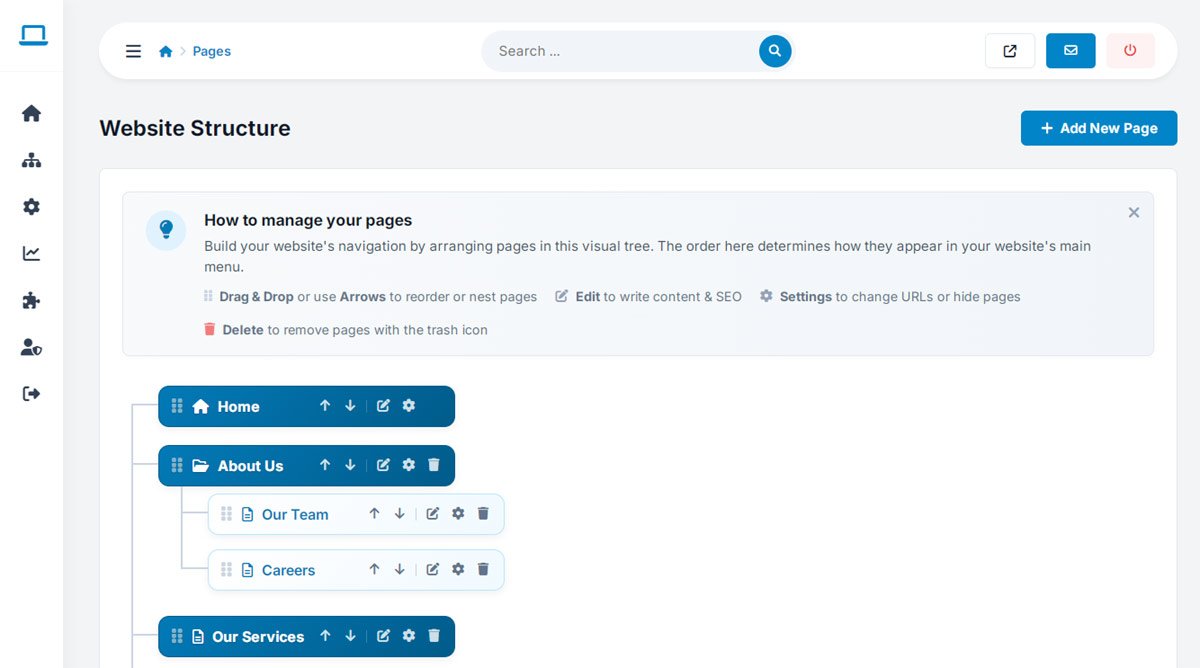
Beyond directory listings, the built-in WebSiteAdmin CMS lets you shape your entire site structure visually. See every page in a clear tree view and simply drag it into place — reorder sections, nest pages, and restructure navigation without touching a database or a settings menu.

It works exactly the way organizing files on your own computer does: pick a page up, drop it where it belongs, and the change is live immediately — no matter how large your site grows.

  • Full visual site structure, always visible at a glance
  • True drag-and-drop reordering — no menus, no settings screens
  • Unlimited nested page levels for any site structure
  • Changes go live instantly, with no separate publish step
php business directory feature: a visual page builder — drag, drop, done

Unlimited Pages, Managed From One Clean Interface

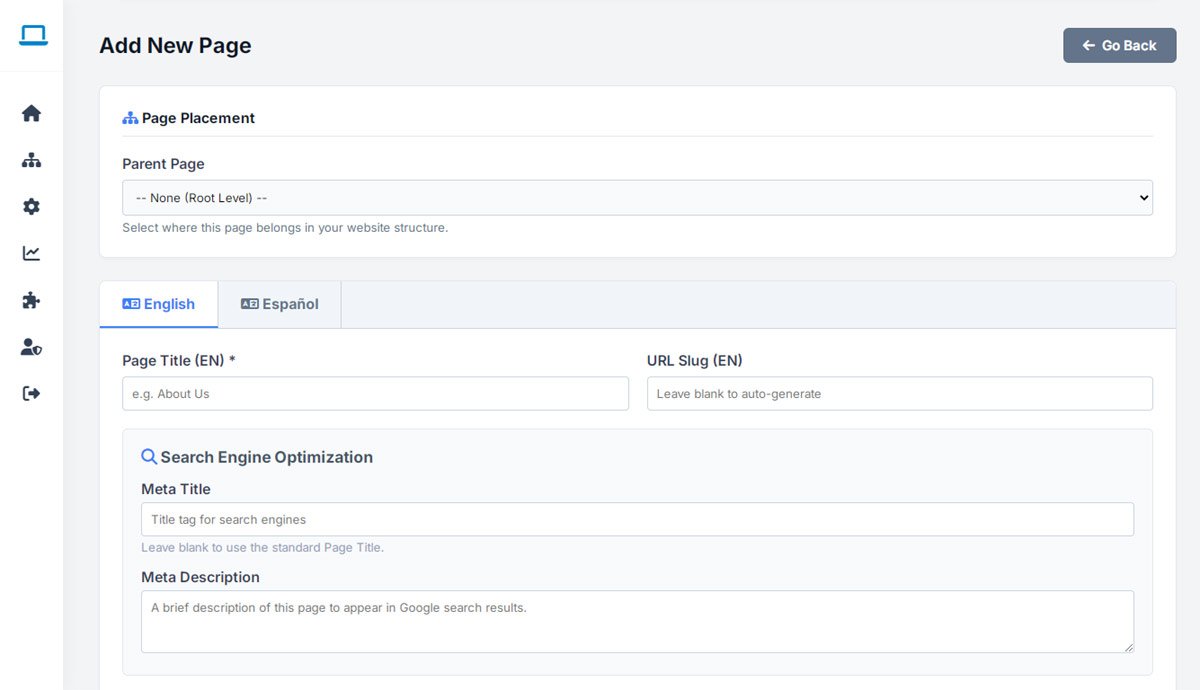
Beyond the directory itself, build out unlimited standalone pages — an About page, service pages, landing pages, legal pages — all created and organized from the same admin panel you already use to run your listings.

The system scales with you, whether you're running a lean single-city site or a large, content-heavy portal with hundreds of supporting pages.

  • Unlimited website pages, with no artificial ceiling
  • Flexible organization for any site structure
  • Fast, simple content updates
  • One central place to manage every page on the site
php business directory feature: unlimited pages, managed from one clean interface

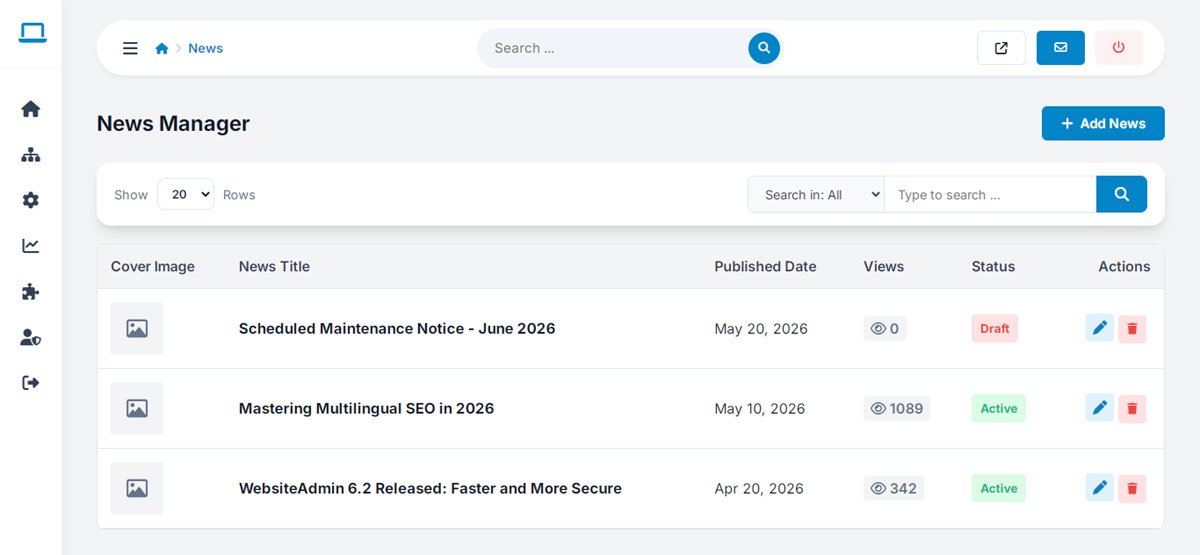
Publish Announcements and Updates Without Leaving Your Admin Panel

Alongside the directory's public-facing "News & Updates" hub, the admin side gives you a fast, dedicated publishing workflow — write an announcement, an update, or an article, and it's live on your site in the same session, with no separate CMS login required.

Because publishing lives inside the same panel as the rest of your site, content and directory management never feel like two different systems.

  • Publish news and updates directly from the admin panel
  • Organized content management alongside your listings and pages
  • Fast, streamlined publishing workflow
  • Fully integrated with your overall site structure
php business directory feature: publish announcements and updates without leaving your admin panel

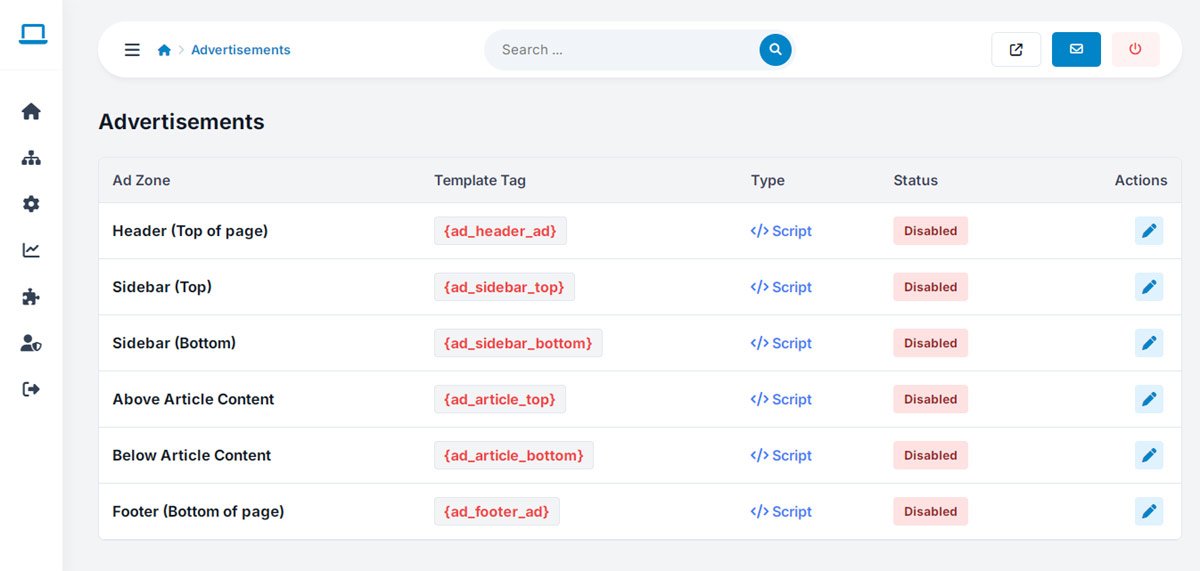
Manage Every Ad Placement on Your Site From One Screen

Beyond the vendor banner marketplace, WebSiteAdmin gives you direct control over promotional areas and ad placements across your entire site — homepage banners, sidebar spots, sponsored content — all from one dedicated panel.

Update a campaign, swap a placement, or launch a new promotional zone without ever touching a template file.

  • Centralized management for every ad placement on your site
  • Direct control over banners and promotional content
  • Fast campaign updates with no code changes
  • Full placement control across every page
php business directory feature: manage every ad placement on your site from one screen

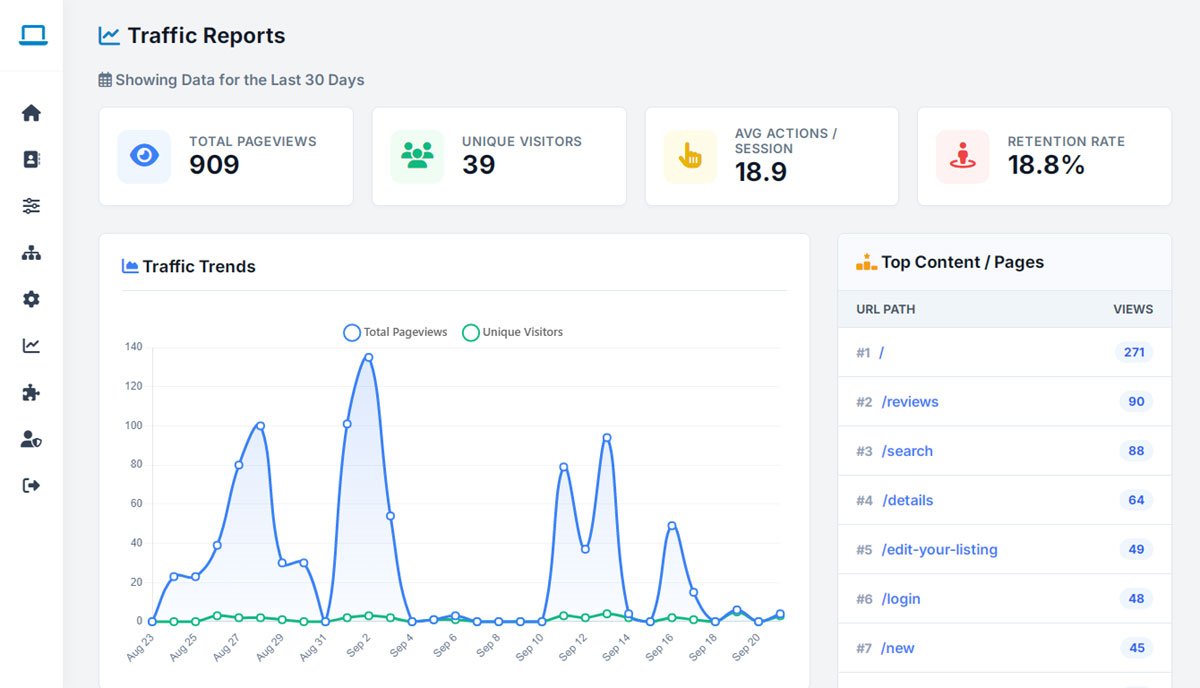
Full Traffic & Performance Reports — Beyond Just Vendor Analytics

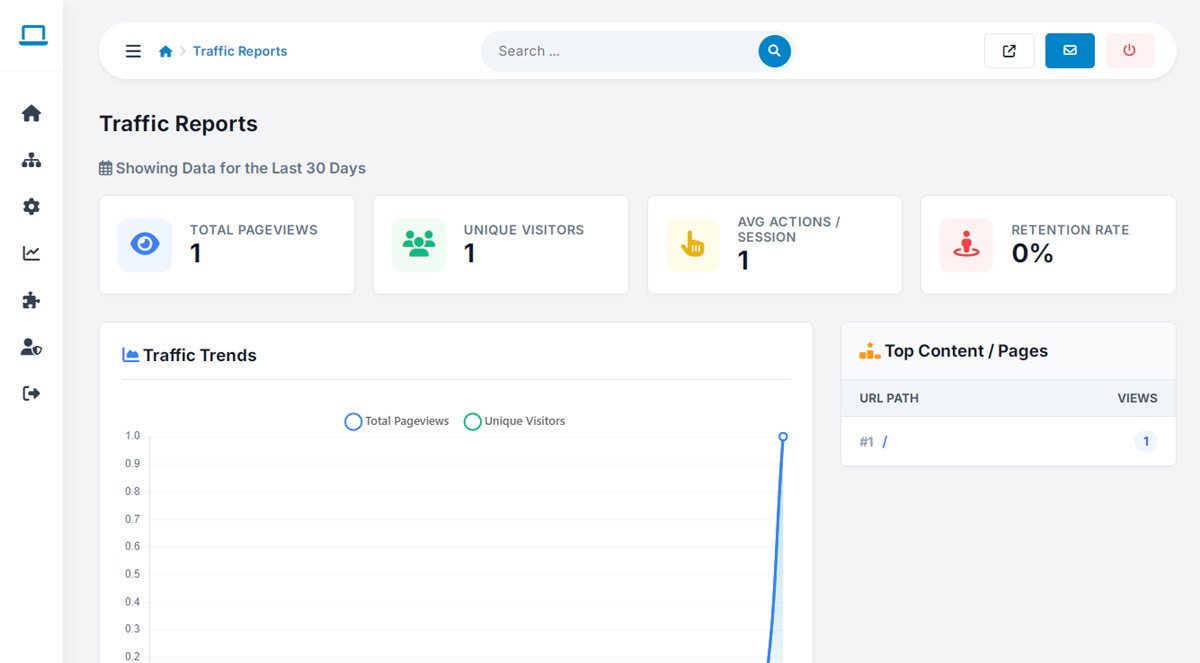
While the directory analytics track listing-level performance, WebSiteAdmin adds a complete, site-wide traffic reporting layer: visitor trends, engagement patterns, and historical performance data across your whole platform.

See how the site is growing over time — not just what happened today, but the trend behind it — so decisions about content, marketing, and growth are based on real data instead of guesswork.
  • Site-wide visitor statistics, beyond individual listings
  • Historical traffic trends and growth patterns
  • Engagement and content-performance insights
  • Clear reporting for confident, data-driven decisions
php business directory feature: full traffic & performance reports — beyond just vendor analytics

See What's Happening on Your Site Right Now, Not Yesterday

Historical reports tell you what already happened; live activity monitoring shows you what's happening this second — visitors currently browsing, pages currently being viewed, activity as it unfolds.

It's a genuinely different view of your platform: less "here's last week's summary," more "here's what's live right now" — useful the moment you launch a new promotion or push a new listing batch and want to watch the reaction in real time.

  • Live visitor activity tracking as it happens
  • Real-time view into current site usage
  • Instant visibility, with no reporting delay
  • A closer, moment-to-moment read on user behavior
php business directory feature: see what's happening on your site right now, not yesterday

Add Google Analytics and Marketing Pixels Without a Developer

Drop in Google Analytics, Facebook Pixel, or any other marketing and tracking code directly from the admin panel — no template editing, no developer needed, no risk of breaking a page by pasting a script in the wrong place.

Every tracking integration you rely on for marketing and reporting lives in one organized, centralized location.

  • Add marketing and tracking codes without touching a template
  • Centralized management for every tracking integration
  • Search-optimization settings alongside tracking configuration
  • One organized home for all your marketing integrations
php business directory feature: add google analytics and marketing pixels without a developer

Go Global With Full Multi-Language Website Support

Beyond translating individual categories, WebSiteAdmin lets you manage complete language versions of your entire site — navigation, interface text, and content — so international visitors get a consistent, fully localized experience everywhere they click.
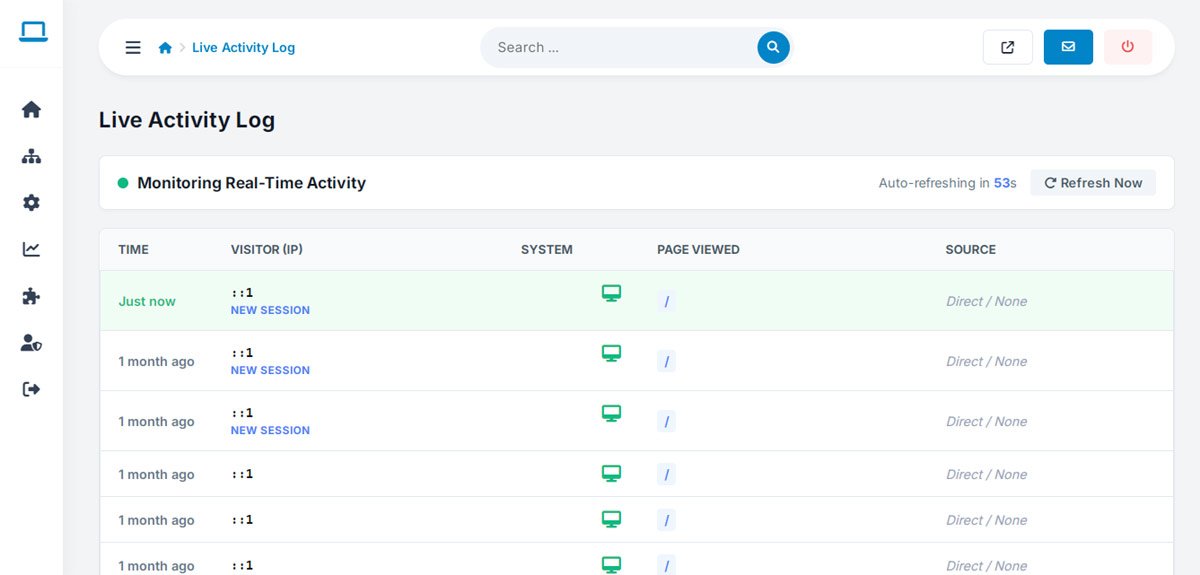
Add a second language or roll out a dozen; the same management tools scale to serve as many markets as you need.

  • Multiple complete language versions of your website
  • Centralized translation management
  • Fully localized interface text, not just page content
  • A system built to support global audiences from day one
php business directory feature: go global with full multi-language website support

Change Your Design Without Rebuilding Your Site

A dedicated template management system keeps design and content separate, so a fresh look — a new template, an updated layout — never means starting over. Update the presentation layer while every listing, page, and setting stays exactly where it is.

That separation is what keeps a growing directory future-ready: your content, data, and vendor relationships stay intact no matter how many times the site's look evolves.

  • Full template management system
  • Flexible layouts, independent of your content
  • Clean separation between design and data
  • Easy, low-risk site customization
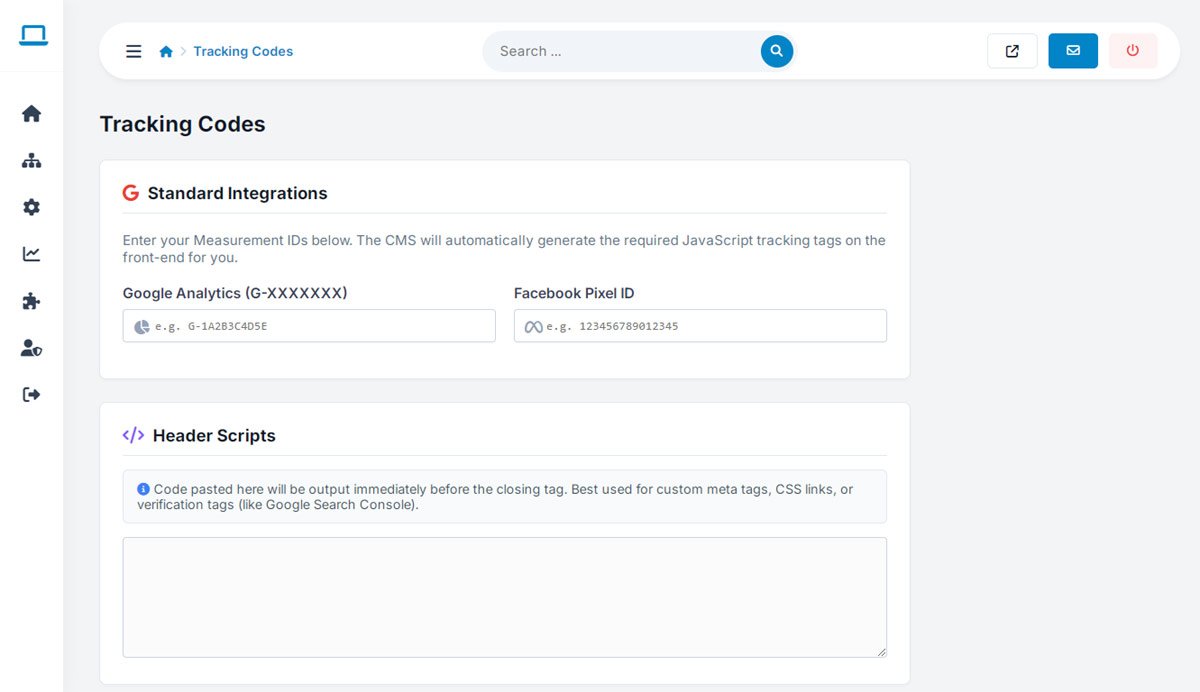
php business directory feature: change your design without rebuilding your site
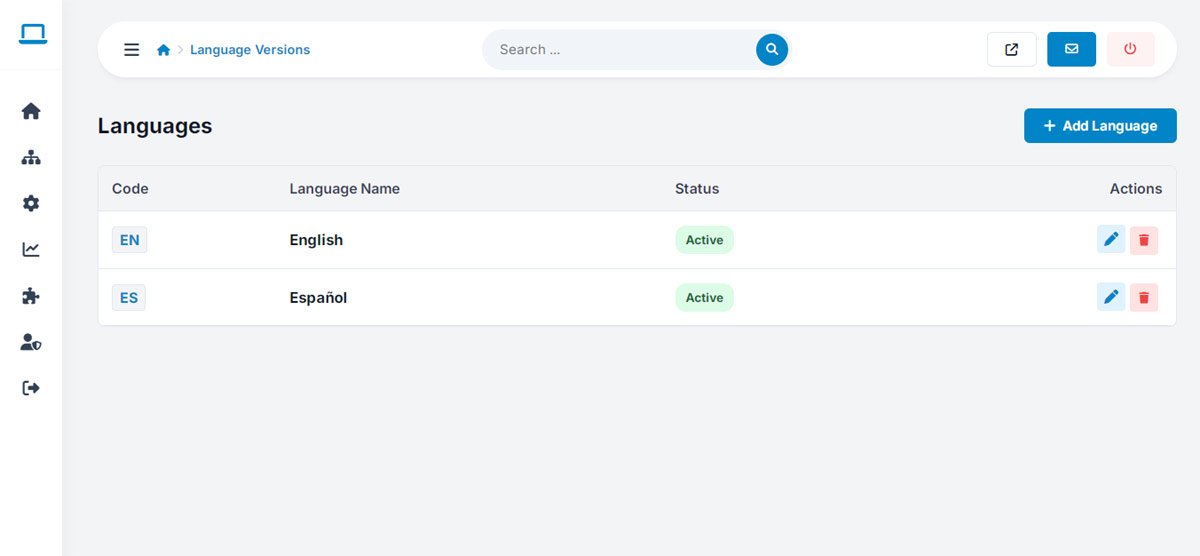
Rewrite Any Label or System Message — No Code Required
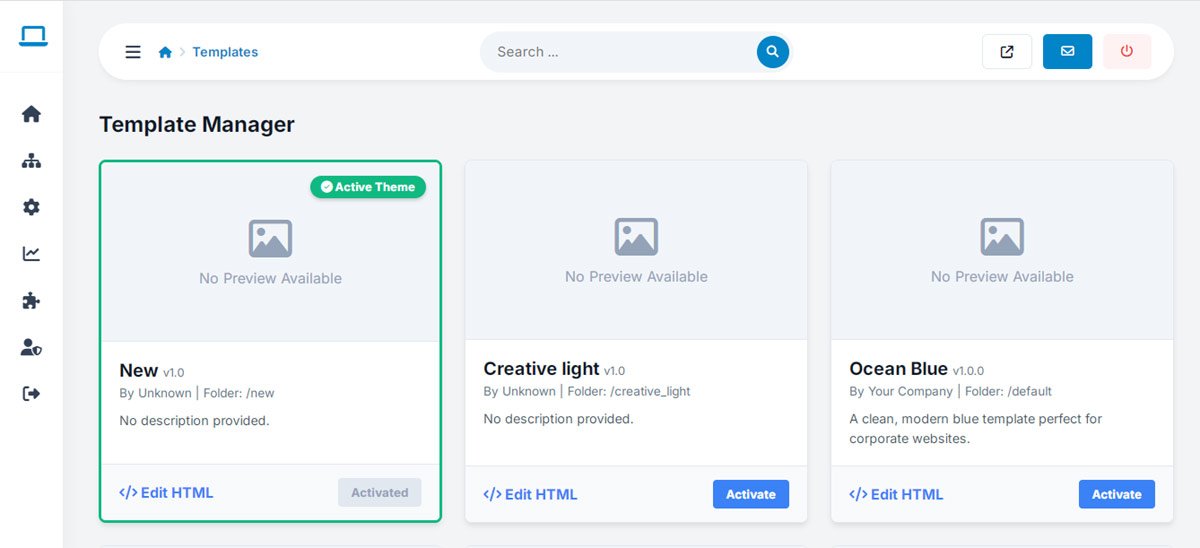
Every button label, system message, and piece of interface text can be edited directly from the admin panel — no digging through source files, no developer needed to change a single word.

Adjust terminology to match your brand voice, fix a phrase that doesn't quite fit your market, or localize wording for a specific audience — all from one central editor.
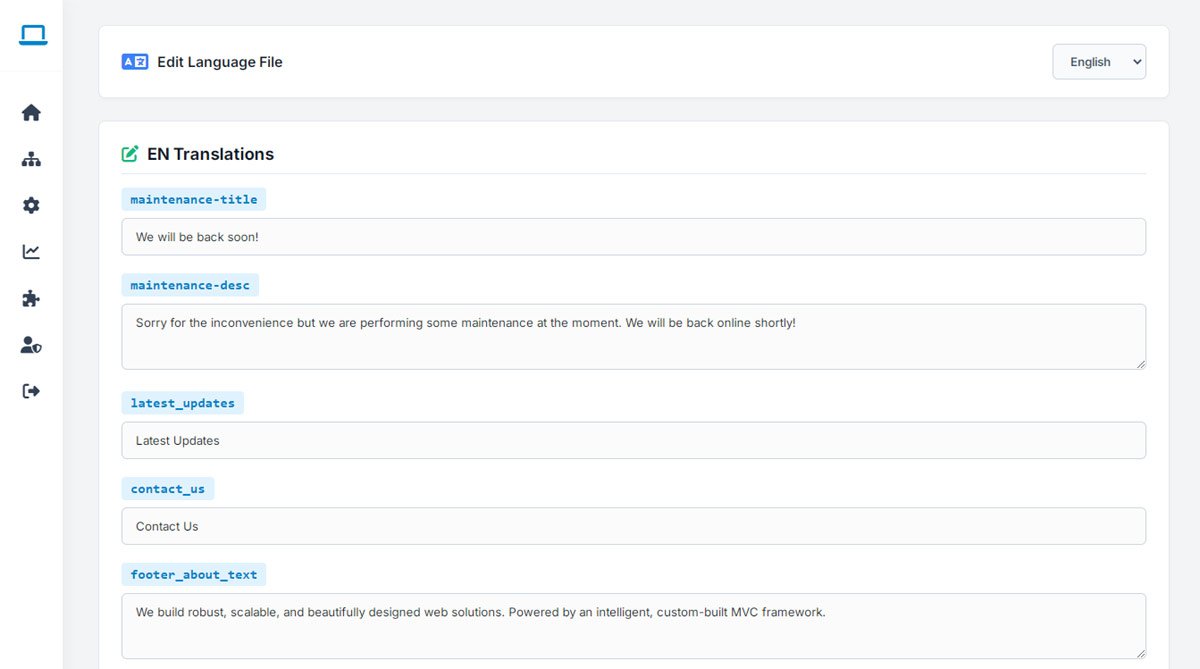
  • Centralized editing for every interface text and label
  • Full control over custom system messages
  • Built-in support for localization
  • No code changes required, ever
php business directory feature: rewrite any label or system message — no code required

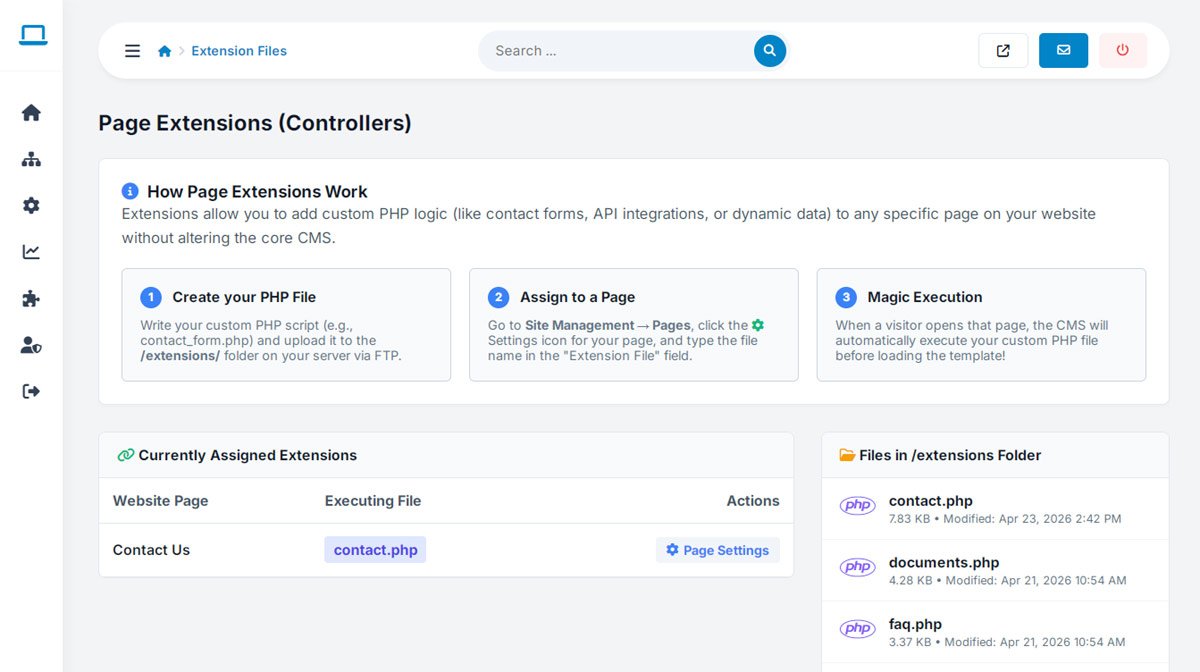
An Extension System for When You Need Something Custom

When a unique workflow or integration goes beyond what's built in, a full extension system lets developers add custom modules and functionality without touching or destabilizing the core platform.

It's the difference between being boxed in by a fixed feature set and having a foundation flexible enough to grow into whatever your business needs next.

  • Full custom extension development support
  • Modular architecture that keeps the core system clean
  • Organized extension file management
  • A future-proof foundation for custom growth
php business directory feature: an extension system for when you need something custom

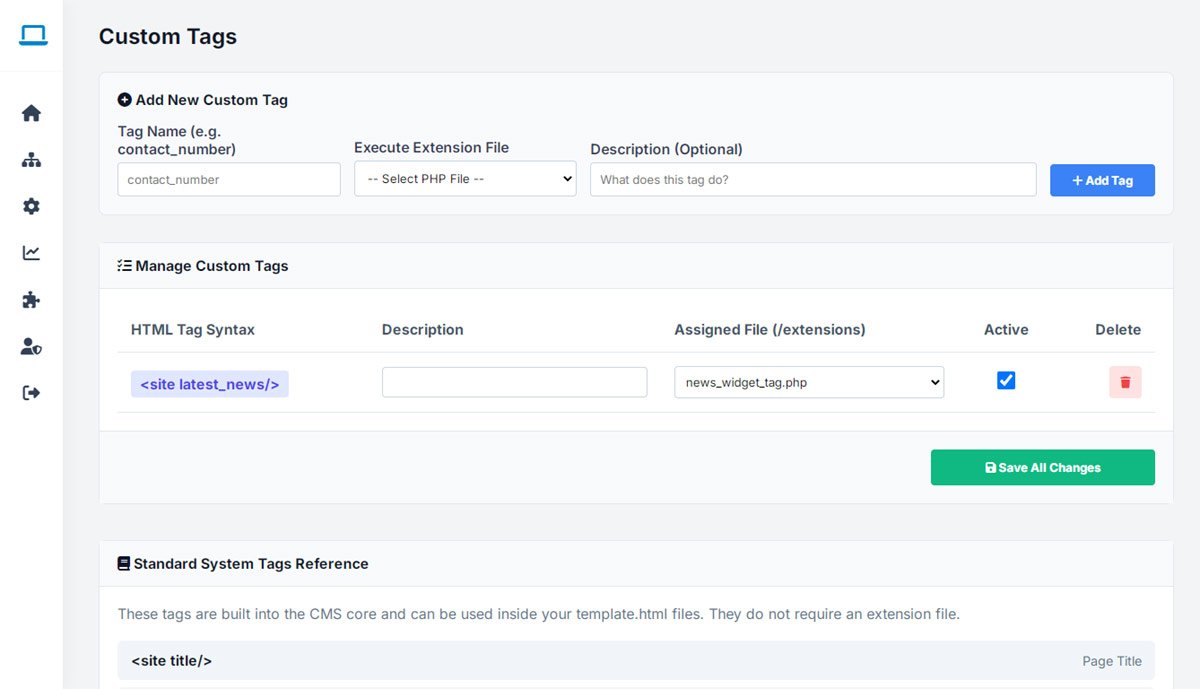
Dynamic Content Tags for Smarter, More Personalized Pages

Custom tags let developers add dynamic behavior to any page — content that changes based on context, automatically pulled information, or specialized display logic — all without rebuilding the CMS itself.

It's the toolkit that turns static pages into something closer to a personalized application, exactly where a directory genuinely benefits from it.

  • Full custom tag system for advanced page behavior
  • Support for dynamic, context-aware content
  • Advanced customization without core CMS changes
  • A developer-friendly architecture for building further
php business directory feature: dynamic content tags for smarter, more personalized pages

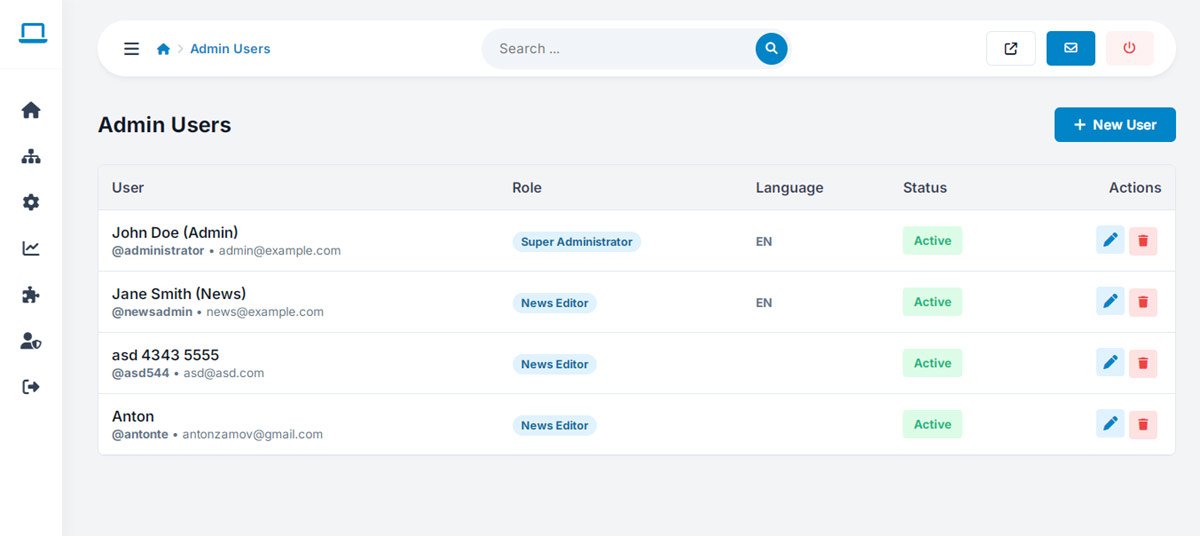
Give Your Whole Team Secure Access — Not Just One Shared Login

Running a directory rarely stays a one-person job for long. Create individual admin accounts for every team member — content editors, moderators, technical admins — each with their own secure login instead of a shared password everyone uses.

Everyone gets exactly the access their role requires, so your team can collaborate without ever compromising security.

  • Multiple individual administrator accounts
  • Distinct profiles for every team member
  • True team-based site management
  • Secure, role-appropriate access for each account
php business directory feature: give your whole team secure access — not just one shared login

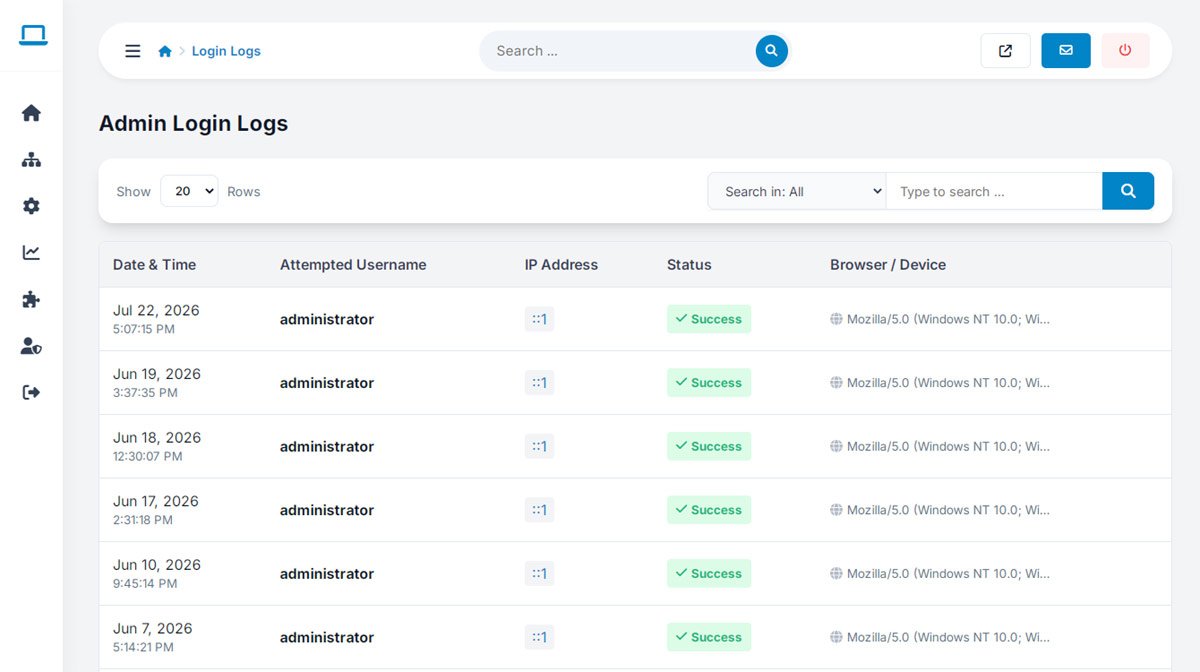
Know Exactly Who Accessed Your Admin Panel, and When

Every admin login is logged automatically, giving you a clear, searchable record of account activity across your entire team.

It's a straightforward layer of accountability — useful for catching unusual activity early, and for simply knowing your admin panel is being used the way it should be.

  • Automatic administrator login logs
  • Full account activity tracking
  • Built-in security monitoring
  • Clear visibility into who accessed what, and when
php business directory feature: know exactly who accessed your admin panel, and when

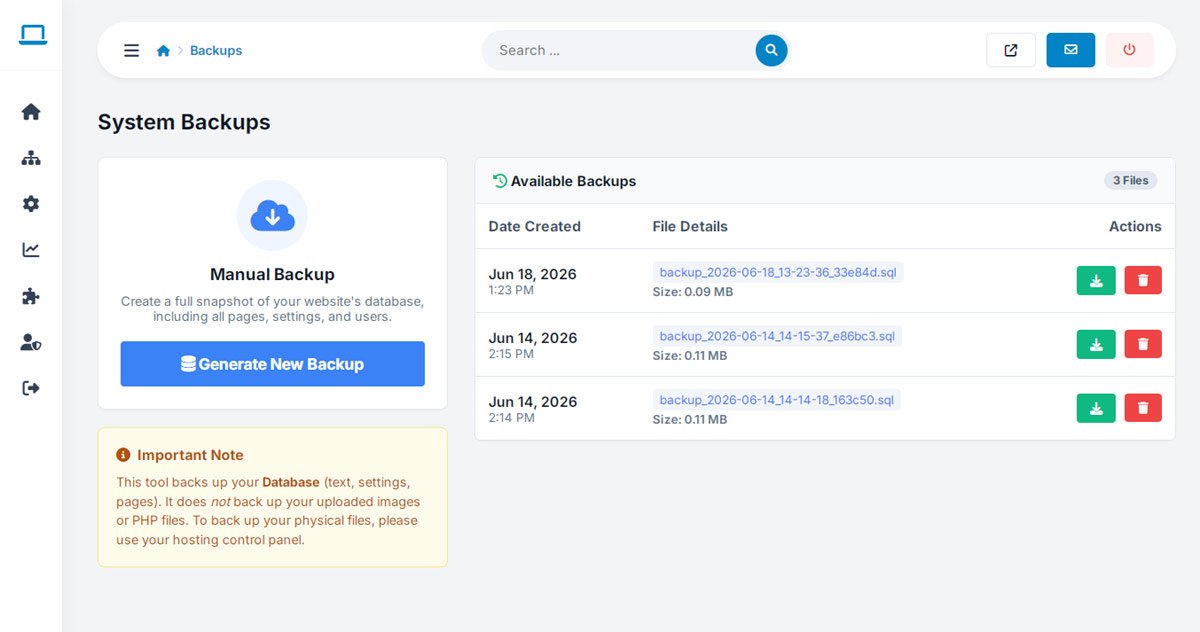
Reliable Backups So a Bad Day Never Becomes a Bad Month

Protect years of listings, reviews, and settings with built-in backup management — a safety net that makes data protection a normal part of running the platform, not an afterthought you remember only after something goes wrong.

When something does go wrong, restoring from a recent backup means downtime measured in minutes, not days spent rebuilding a database by hand.

  • Built-in website backup management
  • A straightforward, repeatable data-protection workflow
  • Restore-ready website maintenance
  • A genuinely safer way to administer a growing platform
php business directory feature: reliable backups so a bad day never becomes a bad month

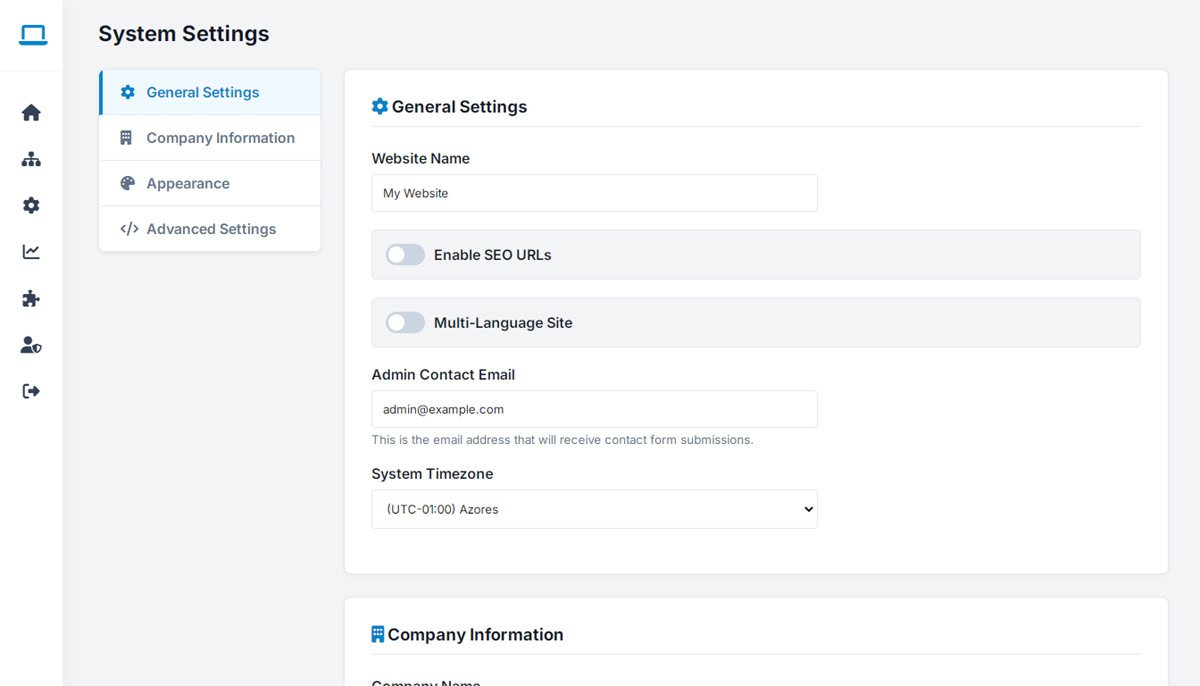
One Configuration Screen for the Whole Platform

Beyond directory-specific settings, WebSiteAdmin gives you a centralized configuration screen for the broader website environment — the operational options that keep the platform running exactly the way you want it to.

Adjust behavior and manage preferences from one place, instead of hunting across scattered settings screens every time something needs a tweak.

  • Centralized configuration for core website behavior
  • Full website settings management in one place
  • Flexible, granular system control
  • An administrator-friendly control layout
php business directory feature: one configuration screen for the whole platform

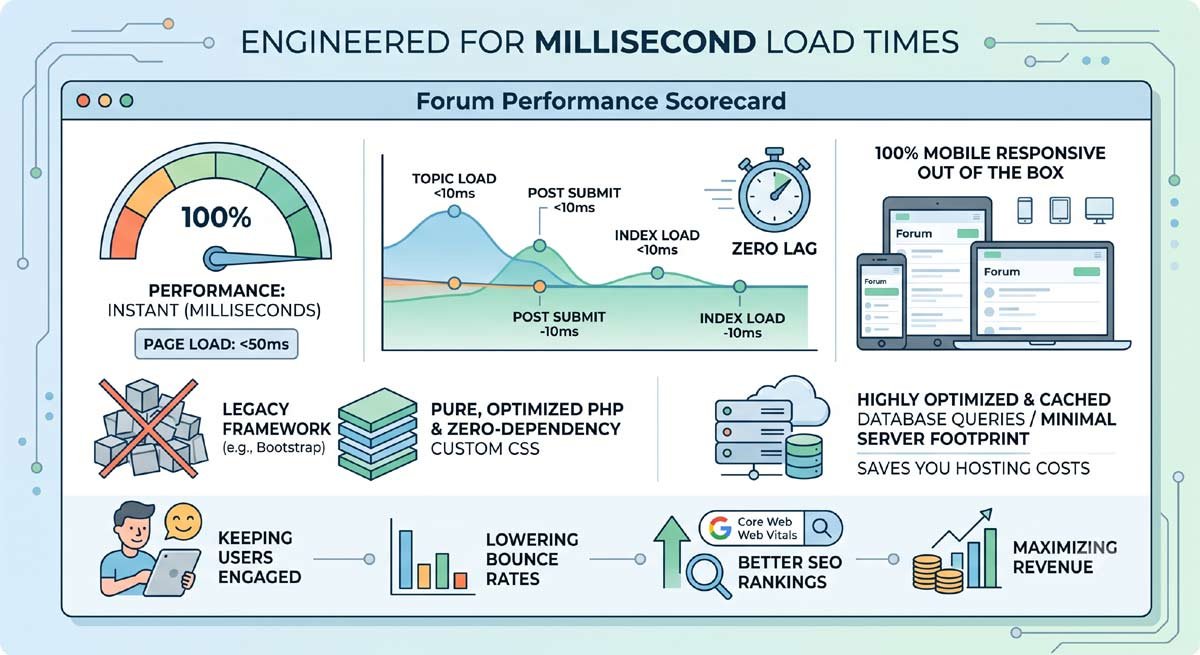
Engineered for Millisecond Load Times

No bloated frameworks, no unnecessary dependencies. PHP Business Directory is built with pure, optimized PHP and lean, custom CSS from the ground up.

The result is a site that loads instantly — keeping visitors engaged, lowering bounce rates, and satisfying Google's Core Web Vitals for stronger search rankings.

  • No heavy front-end frameworks weighing down every page
  • 100% mobile responsive out of the box
  • Highly optimized, indexed database queries
  • A minimal server footprint that keeps hosting costs down
php business directory feature: engineered for millisecond load times

100% Unencrypted Source Code — You Own the Business, Not a Subscription

You get complete, unencrypted PHP source code — no IonCube loaders, no hidden files, no monthly SaaS lock-in. What you host is entirely yours.

Deploy on any server you choose, customize any part of the platform, and build an asset you actually own — not one you're renting month to month.

  • 100% open PHP code — no encryption or obfuscation
  • One-time license fee, with zero recurring SaaS costs
  • Freedom to host on shared, VPS, or dedicated servers — your choice
  • A developer-friendly codebase, ready for any custom integration
php business directory feature: 100% unencrypted source code — you own the business, not a subscription