Admin Panel › Settings › Backups
The Backups page saves a complete copy of the database: listings, users, reviews, pages, news, settings and everything else stored in it.
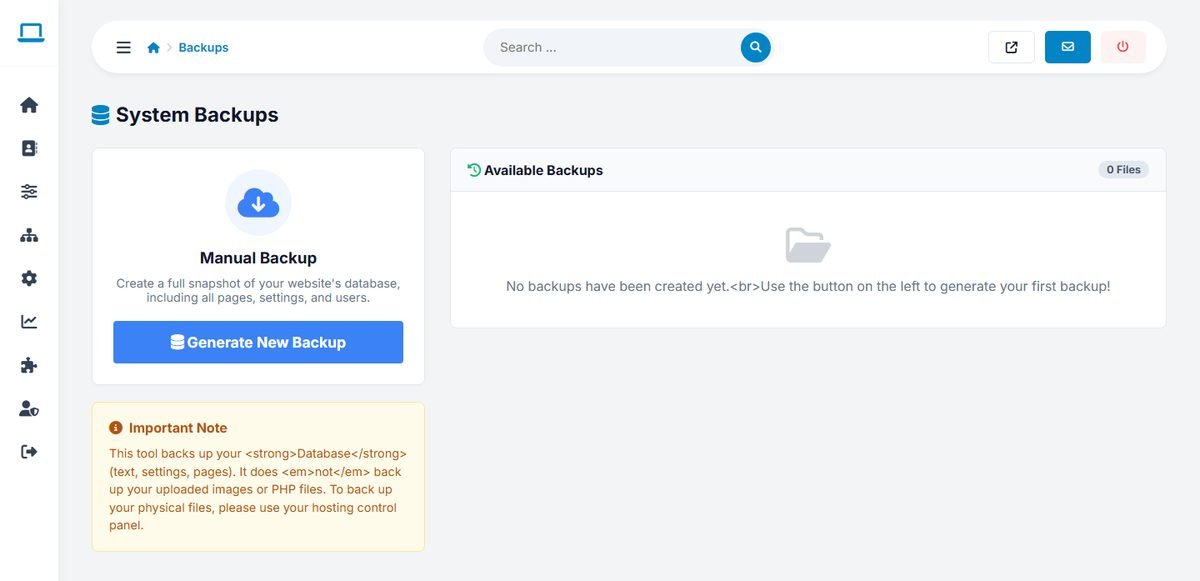
Creating and downloading a backup
- Click Generate New Backup. The backup is created as an
.sqlfile with the date and time in its name. - It appears in Available Backups. Click the download button to save it on your computer.
- Delete old backups from the server from time to time; they contain your users' personal data.
The backup contains the database only, not the uploaded photos, logos and banners, nor the program files. Back up the uploaded_images and thumbnails folders with FTP or your hosting control panel.
Restoring a backup
To restore, open phpMyAdmin, select the directory's database and import the .sql file. This replaces the current data with the data in the backup, so make a fresh backup of the current state first.
A simple backup routine
- Before any large change: a database backup plus a copy of the uploaded images.
- Every week: a database backup, downloaded to your computer or cloud storage.
- Check that your hosting company also makes automatic backups, and how long it keeps them.