Admin Panel › Directory › Users
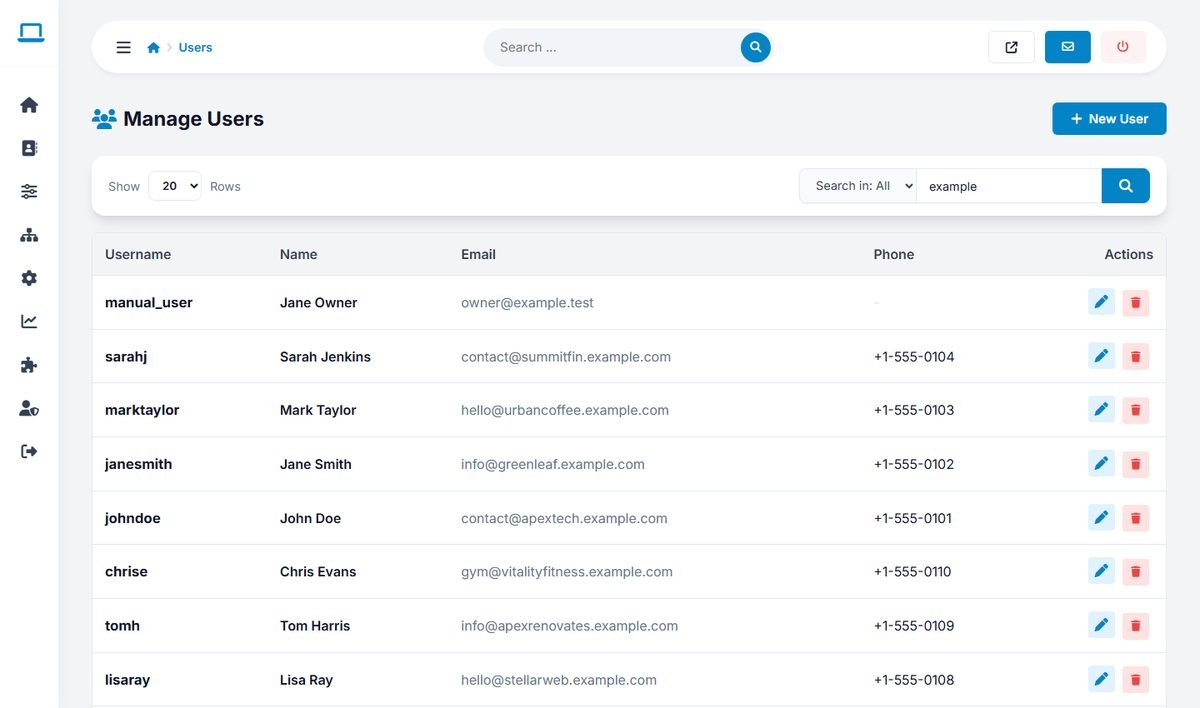
This page lists the registered users of the website: business owners who manage listings from the user panel. Administrators are managed separately, in Admin Users, Groups and Permissions.
Finding a user
Search by username, name or email address with the search box. The list shows the username, name, email address and phone number of each user.
Adding or editing a user
Click New User, or the edit button of a user, and fill in the Username, Password, Name, Email and Phone. When editing, leave the password empty to keep the current one. Click Save User.
To give an existing listing to a user, enter their username in the Username field of the listing editor.
Deleting a user
The delete button removes the user account after a confirmation. Decide first what to do with their listings: reassign them to another user, or delete them.
For security, passwords are stored as one-way hashes. You cannot see a user's password; if a user forgets it, they can request a new one on the website, or you can set a new one here.