Appointment booking lets visitors reserve a time with a business directly from its listing. It is available for every listing whose owner has added at least one employee and their working hours in the user panel.
How a visitor books
- On the listing page, the visitor clicks Booking.
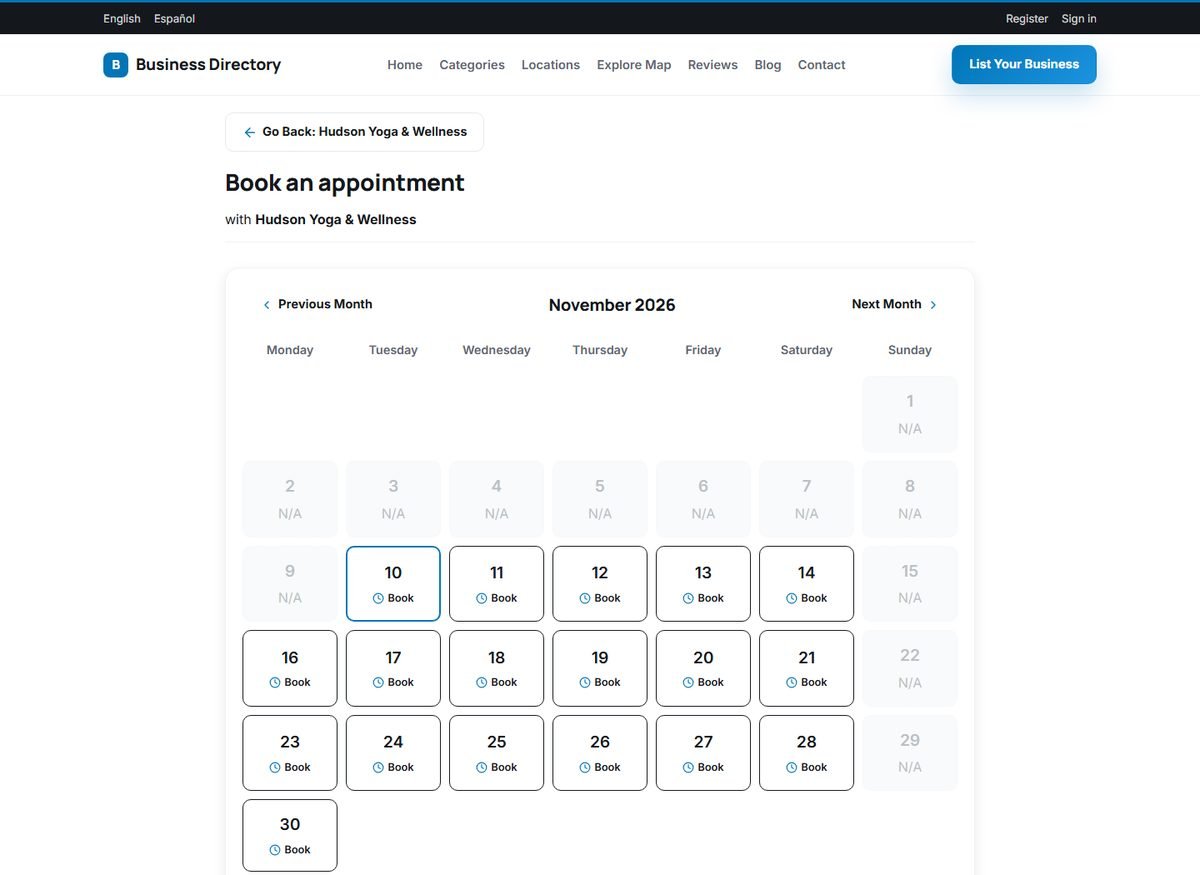
- A calendar of the current month opens. Days on which the business works show a Book button; other days show N/A. The Previous Month and Next Month links move through the calendar.
- After choosing a day, the visitor chooses an employee (or I have no preferences) and a free time slot. Slots that are already taken are not offered.
- The visitor enters a first name, last name, email, phone and optional comments, and confirms.
The visitor sees a thank-you message. The appointment appears as new in the owner's user panel, where the owner confirms or cancels it. See Managing Appointments and Employees.
What decides the available times
- The working hours of each employee, per day of the week.
- The appointment duration (from 15 minutes to 3 hours) and the break between appointments, set per employee.
- The appointments already booked.
Online booking is a strong selling point for salons, clinics, consultants, driving schools and other appointment-based businesses. Mention it in your package descriptions; all default packages include it.