Admin Panel › Directory › Import
The import turns a spreadsheet of businesses into directory listings in one go. It is the fastest way to launch a directory with real content. The export does the opposite: it downloads your listings as a CSV file.
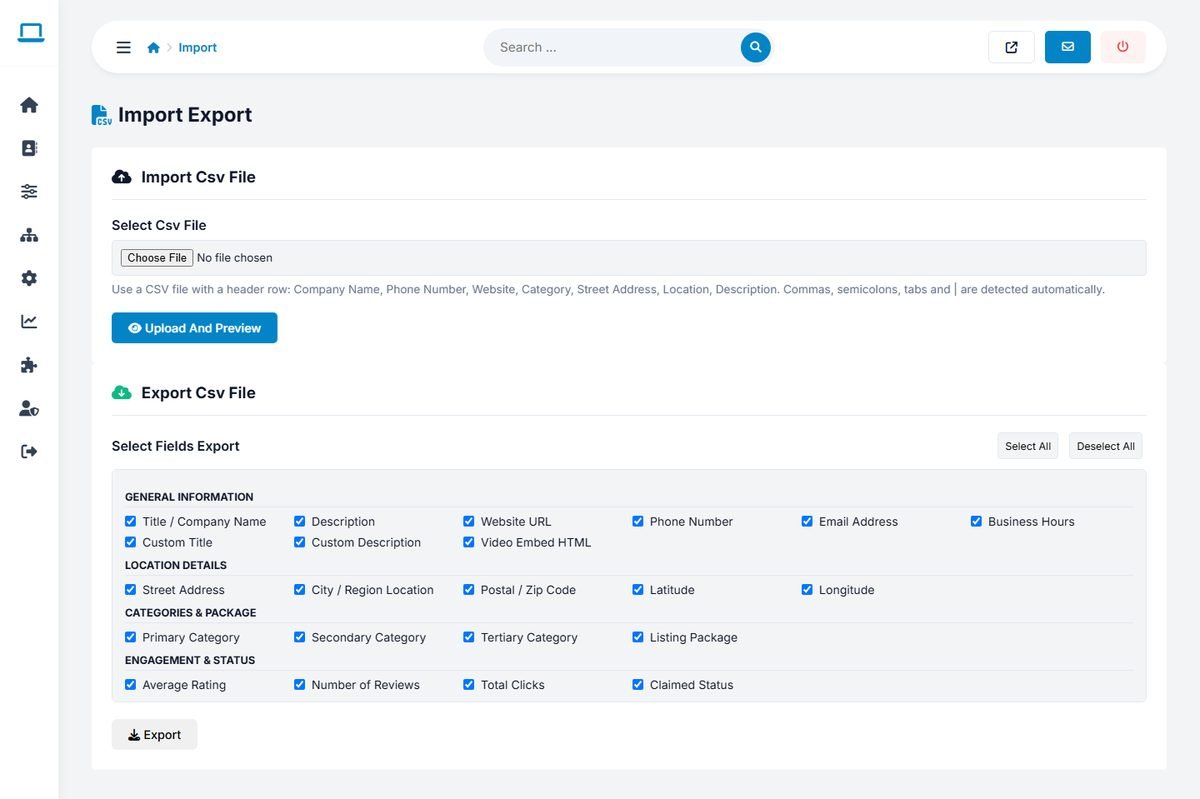
Preparing the CSV file
Create the file in Excel, Google Sheets or LibreOffice and save it as CSV. The first row must contain the column names below; the order of the columns does not matter.
| Column | Content |
|---|---|
| Company Name | The business name. This becomes the listing title. |
| Phone Number | The phone number. |
| Website | The website address. If several are given, separated by commas, the first one is used. |
| Category | Up to three category names separated by semicolons, written exactly as in your category list, for example Bakery;Coffee Shops. Unknown names fall back to the first category. |
| Street Address | The full street address. |
| Location | The ID of the location from your location tree, for example 229.37 for New York, United States. |
| Description | The business description. HTML tags are removed. |
The delimiter (comma, semicolon, tab or |) is detected automatically. Save the file with UTF-8 encoding so that accented characters are imported correctly.
Company Name,Phone Number,Website,Category,Street Address,Location,Description
Hearth Artisan Bakery,+1-503-555-0142,www.hearthbakery.com,Bakery,1428 NW 23rd Ave,229.38,"Wood-fired sourdough and pastries."
Importing
- Click Select Csv File, choose the file and click Upload And Preview.
- The preview shows the number of listings found and the first ten rows. Check that the columns are recognized.
- Click Import These Listings. A message confirms how many listings were imported.
Imported listings are active immediately, valid for one year and have no owner, so their owners can claim them. Add map coordinates later in the listing editor to show them on the map.
Import a small test file of five rows first. When the result looks right, import the full list.
Exporting
In the Export Csv File box, tick the fields you need (use Select All or Deselect All) and click Export. The fields are grouped as general information, location details, categories and package, and engagement and status: average rating, number of reviews, clicks, claimed status, featured status and the AI review summary. The CSV file opens in any spreadsheet program.