Admin Panel › Directory › Reviews
All reviews written on the website appear here, newest first, with the listing, the title and beginning of the text, the star rating, the author and the date.
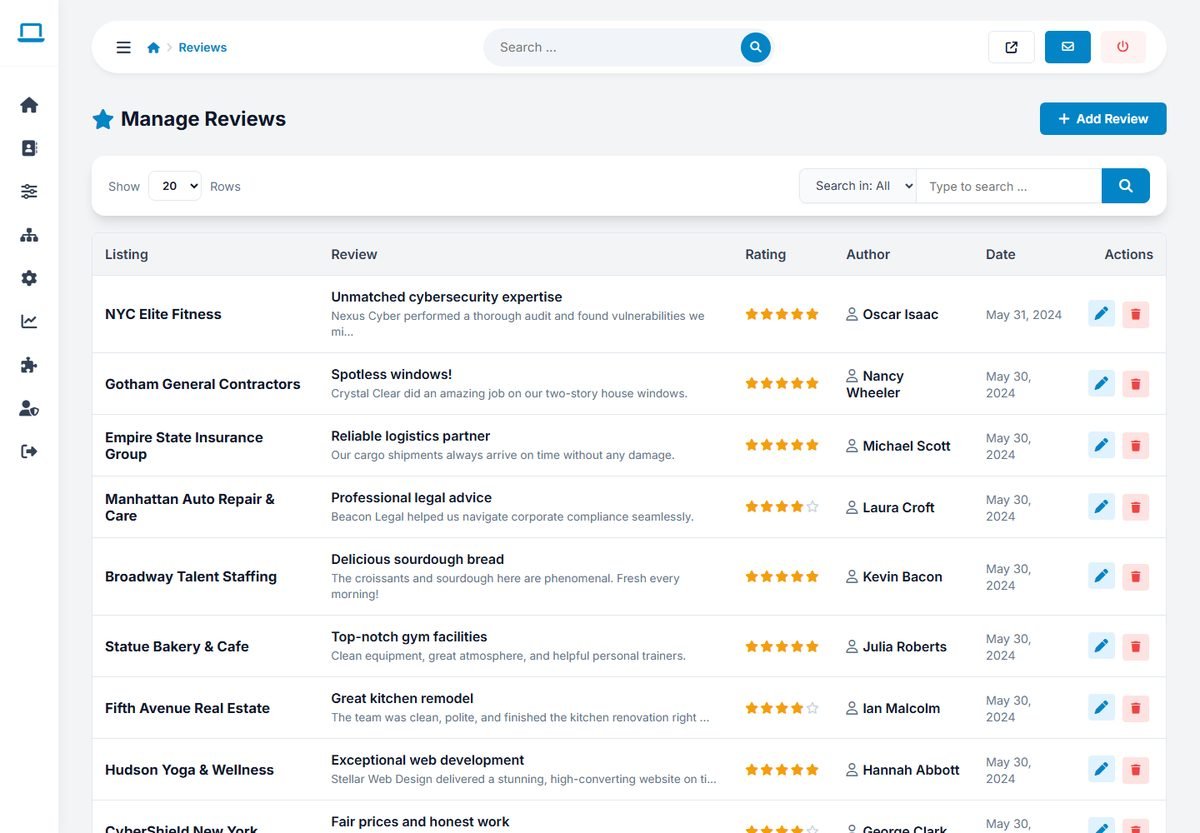
Editing and deleting reviews
Use the edit button to correct a review, for example to remove a phone number or an insult while keeping the opinion. Use the delete button for spam, fake reviews and reviews that break your rules. The listing's rating and review count are recalculated after every change.
Search the reviews by title, author or listing to find all reviews of one business.
Adding a review
Click Add Review to enter a review on behalf of a customer, for example one received by email or on paper. Choose the Listing, enter the Author, the Rating, the Review Title and the Review Content, and click Save Review.
A fair review policy
- Publish your review rules on a page, for example: real experiences only, no personal data, no offensive language.
- Do not delete negative reviews just because they are negative. A mix of opinions makes the directory believable.
- Check new reviews regularly: every visitor can write one review per business, and automated submissions are rejected, but people can still write unfair reviews.
When the AI review summary is enabled, the summary of a listing is refreshed automatically after its reviews change. See Setting Up the AI Features.