PHP Business Directory can run in several languages at once. The demo comes with English and Spanish. Each language has its own URLs, interface texts, category names, pages, news and FAQ.
Language versions
Admin Panel › Settings › Language Versions
The list shows each language with its code and status. Click Add Language and enter:
- Code: the two-letter ISO code, for example
frfor French ordefor German. It appears in the URLs:/fr,/fr-category-…. - Language Name: the name in that language, for example Français, as shown in the language menu.
- Language Is Active: only active languages are offered to visitors.
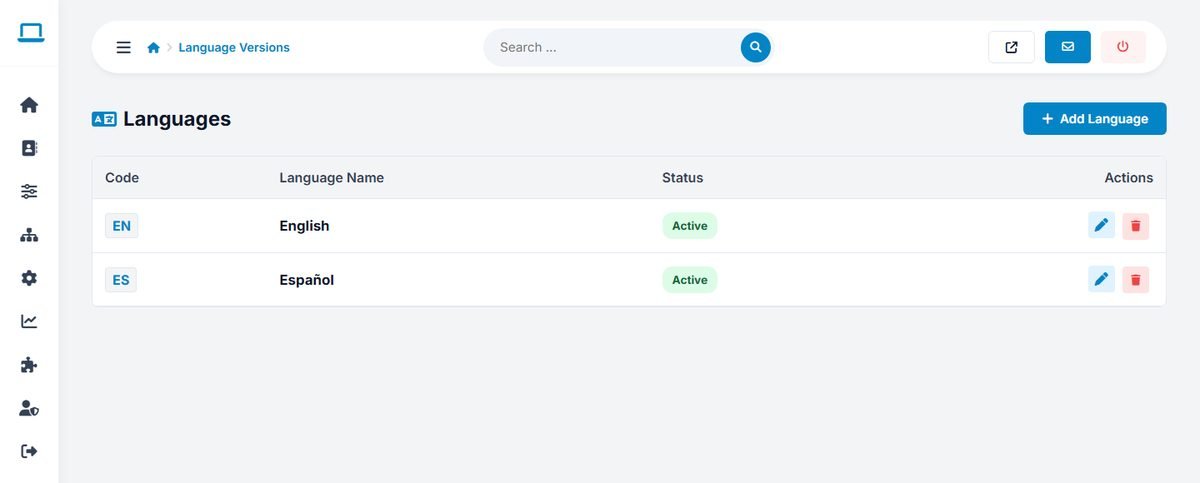
The new language starts with a copy of the English texts, which you then translate. To make the language selector appear on the website, switch on Multi-Language Site in System Settings, Tracking Codes and Social Links.
For category names in the new language, copy categories/categories_en.php and categories/categories_array_en.php to files with the new code (for example categories_fr.php and categories_array_fr.php) with your FTP program. The new language then appears on the Categories page, where you translate the names.
Translating the interface texts
Admin Panel › Website › Interface Texts
Every text of the website and the user panel, from menu items to error messages, is listed here as a key (for example m_submit) with its text. Choose the language at the top, change the texts and click Save Changes.
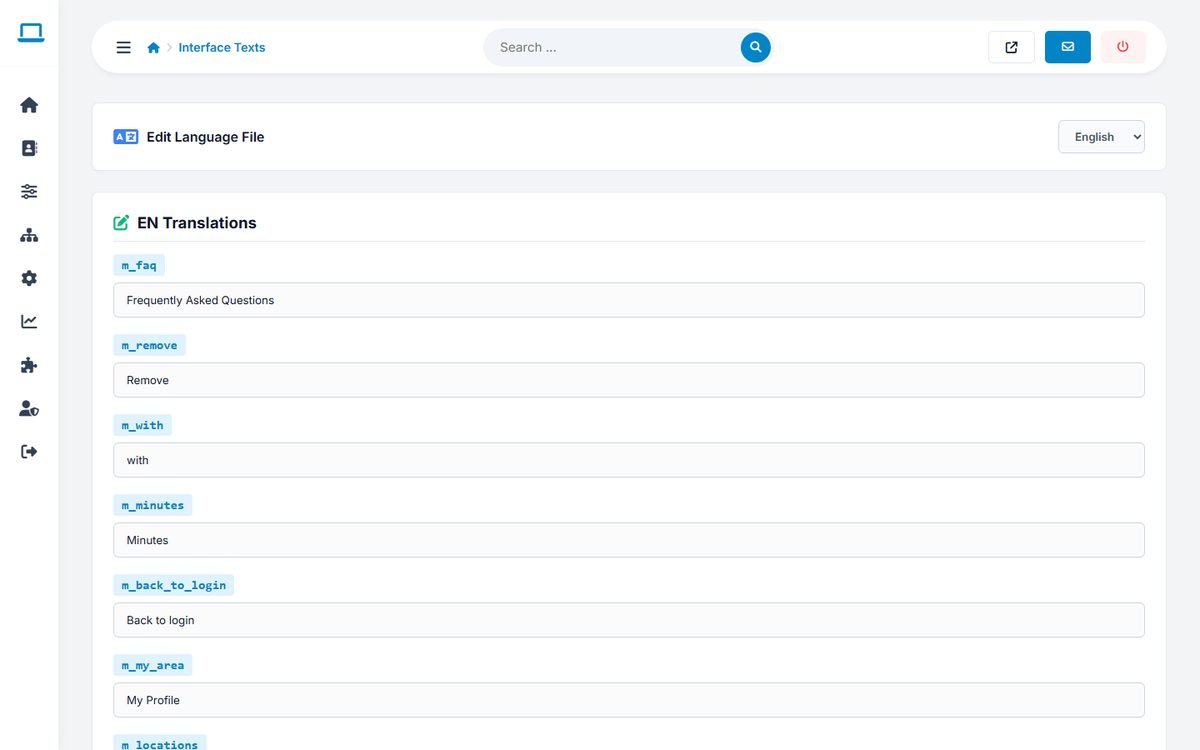
Use this page also to change wording in your main language, for example to say "Members" instead of "Users", or "Vendors" instead of "Businesses".
Use your browser's find function (Ctrl+F or Cmd+F) to locate the text you want to change on this long page.
Translating content
- Categories: one tree per language, with the same numbers. See Managing Categories and Category Images.
- Pages, news and FAQ: each has a tab per language in its editor.
- Listings: are shown as written by their owners. The AI writing assistant writes in the visitor's language when they create a listing.