Visitors can review any business without creating an account. Reviews are published immediately, and administrators can edit or delete any review afterwards.
Writing a review
On a listing page, the visitor clicks Write a Review and fills in the form:
- Rate: one to five stars.
- Your Name and Email: the name is published with the review; the email address is not.
- Review Title and Comments.
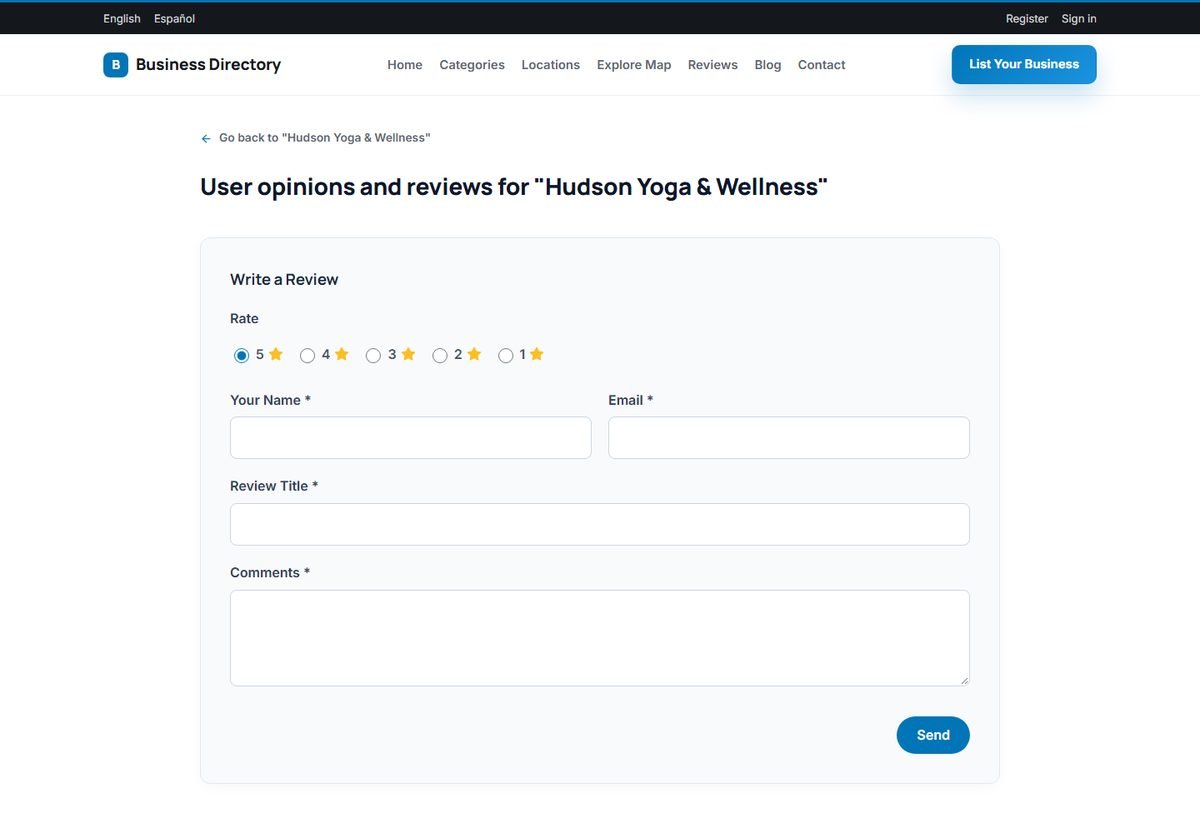
After clicking Send, the review is published on the listing and the listing rating is updated. To limit abuse, each visitor can review a business only once, and automated submissions are rejected. All reviews can be edited or deleted in Admin Panel › Directory › Reviews; see Moderating Reviews.
How ratings are calculated
A listing's rating is the average of the stars of its reviews, shown with one decimal and the number of reviews. It is recalculated whenever a review is added, changed or deleted. The rating is used for the stars on the listing, the Highest Rated sort order and the Minimum Rating filter.
The reviews page
The Reviews page in the main menu brings together the latest reviews of all businesses. It shows the total number of reviews, the average rating, the number of businesses reviewed and a breakdown by stars. Visitors can search reviews by keyword or business and sort them.

Each review also has its own page, which helps search engines find genuine customer opinions about your listings.
AI review summaries
For listings with at least three reviews, the AI can add a short "What customers say" summary to the listing page. It is switched on with AI review summary on the listing pages; see Setting Up the AI Features.