Extensions add PHP features to the website without changing the core files. Your own extension files stay separate, which keeps them easy to maintain.
Page extensions
Admin Panel › Extensions › Extension Files
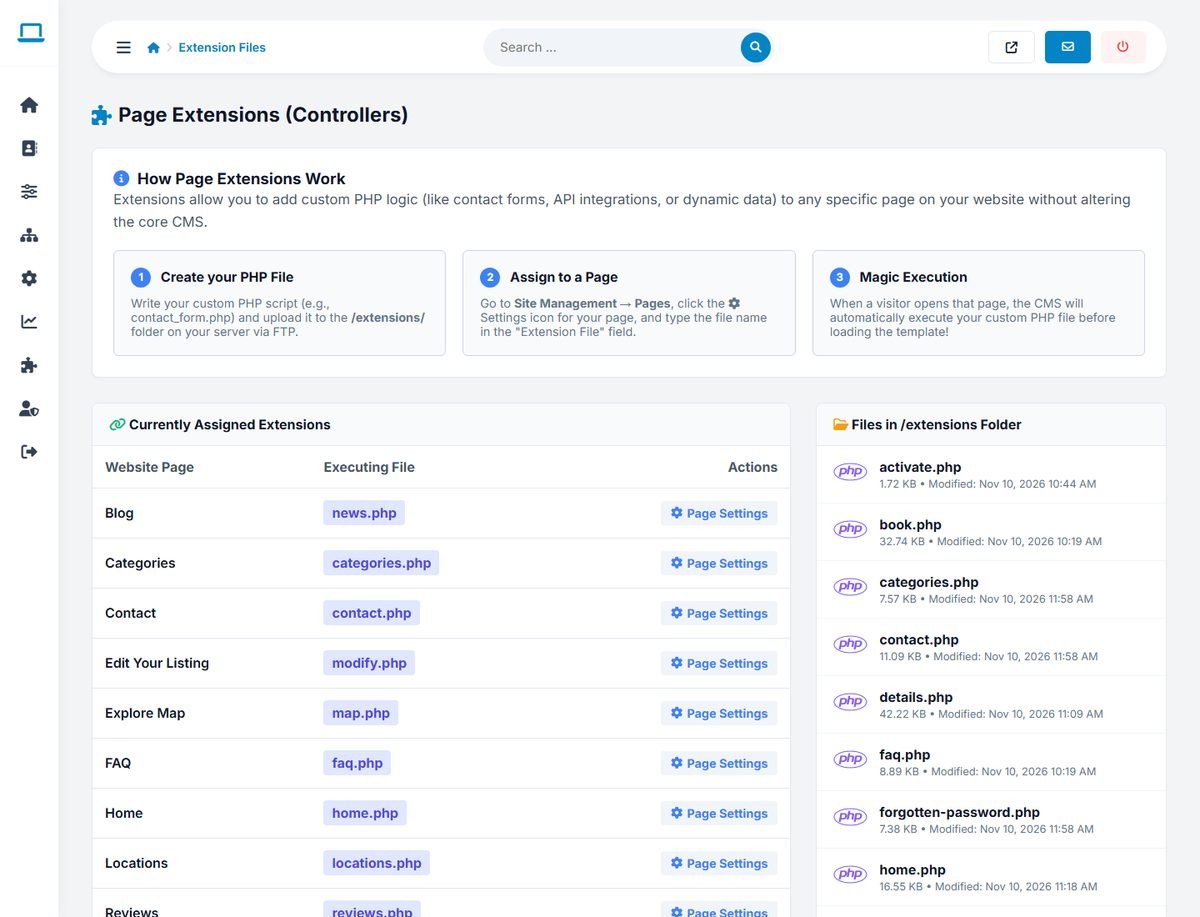
A page extension is a PHP file in the extensions/ folder that runs when a page is opened. Its output is added to the page content, inside the template. Most built-in features are extensions: home.php, categories.php, contact.php, map.php, faq.php, reviews.php and others.
- Write your PHP file, for example
extensions/price_calculator.php, and upload it with FTP. - Create a page in Website › Pages, open its Settings and choose the file as its Extension File.
- Open the page: the file runs and its output appears in the page.
The Extension Files page shows which page runs which file and lists all files in the folder.
<?php
if (!defined('IN_SCRIPT') && !defined('IN_CMS')) die('');
// $this->settings holds the settings, __('m_key') returns a text in the visitor's language.
echo '<h2>' . htmlspecialchars(__('m_price_calculator') ?: 'Price calculator') . '</h2>';
// … your code …
Extensions can also be opened directly with index.php?mod=name, which runs extensions/name.php.
Custom tags
Admin Panel › Extensions › Custom Tags
A custom tag places the output of an extension file anywhere in a template, with a tag such as <site opening_offer/>.
- Upload the PHP file to
extensions/. - In Add New Custom Tag, enter the Tag Name (for example
opening_offer), choose the file under Execute Extension File, add an optional description and click Add Tag. - Put
<site opening_offer/>in the template where the output should appear.
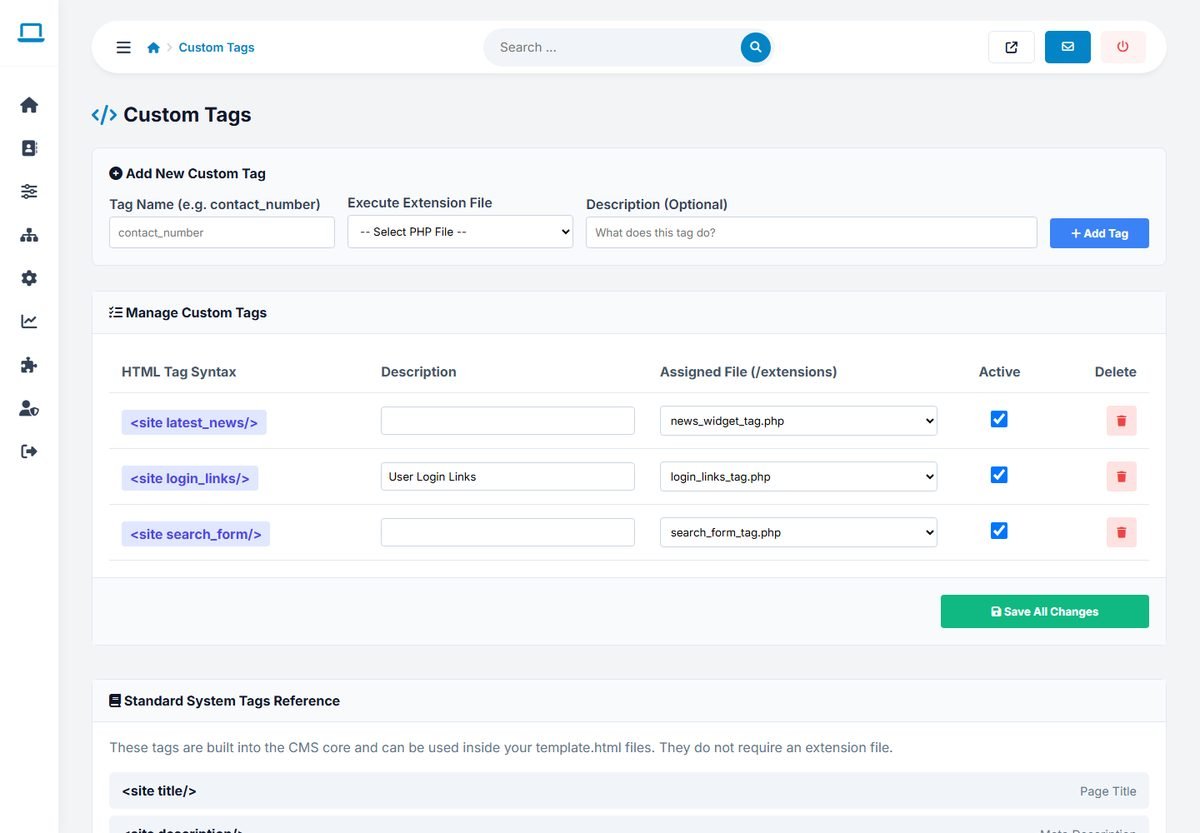
The built-in tags search_form, login_links and latest_news are custom tags too. A tag can be disabled with its Active box; a disabled or unknown tag produces no output.
Keep extension files small and secure: escape every value you print with htmlspecialchars(), use the database class with parameters for queries, and never trust form input.