Registered users can buy banner space on your website from their user panel: they choose where it appears, upload the banner and pay, without contacting you. You create the banner areas and set their prices in the admin panel; see Banner Areas, Banners and Ad Zones.
Choosing a banner area
User Panel › My Listings › Banners
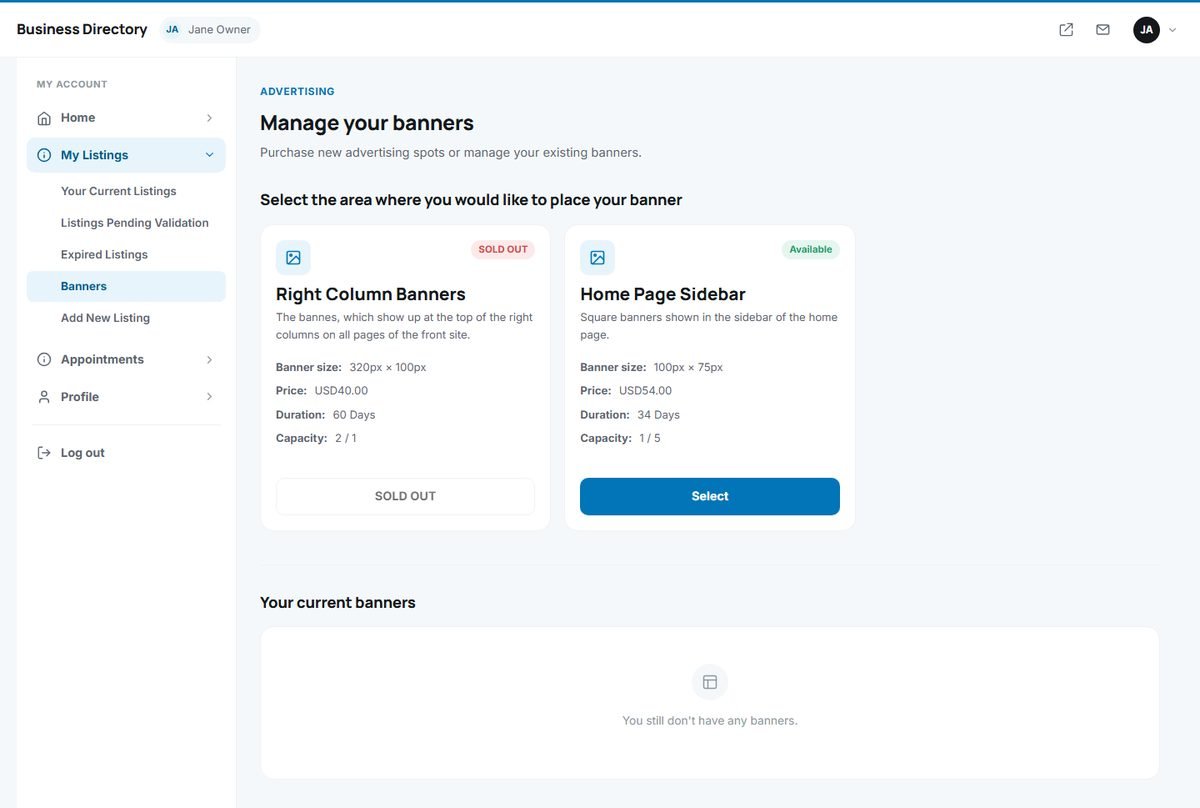
The page lists the banner areas you offer. Each area shows its description, the banner size in pixels, the price, the duration and its capacity (how many places are taken out of how many). Full areas are marked SOLD OUT; the others are marked Available and have a Select button.
Creating the banner and paying
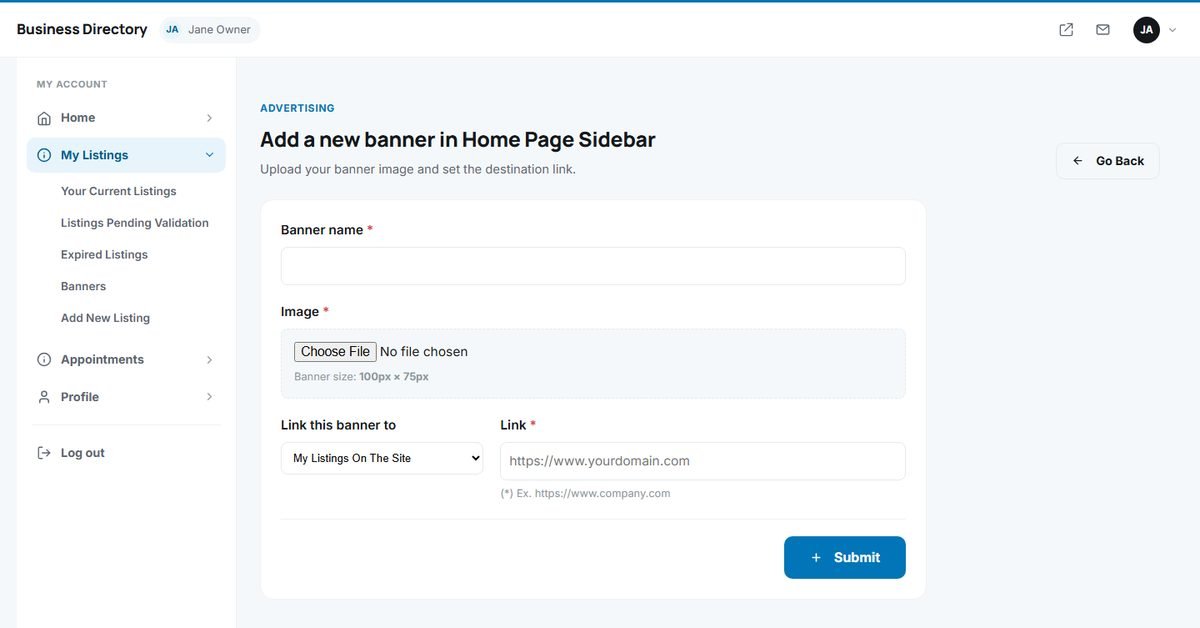
- Enter a Banner name, for your own reference.
- Upload the banner Image (JPG, PNG, GIF or WEBP) in exactly the size shown for the area, for example 320 × 100 pixels.
- Choose where the banner links to: one of your listings on the directory, or an external website, and enter the link.
- Click Submit. For a paid area, the payment options follow: card (on Stripe's secure page), PayPal or bank transfer. Banners in free areas are submitted without payment.
Card and PayPal payments are confirmed immediately and shown as paid to the administrator. The banner is checked by an administrator and then shown in rotation in its area until its period ends. Your banners are listed under Your current banners, where you can change the image or link.