Admin Panel › Directory Settings › Configuration Options
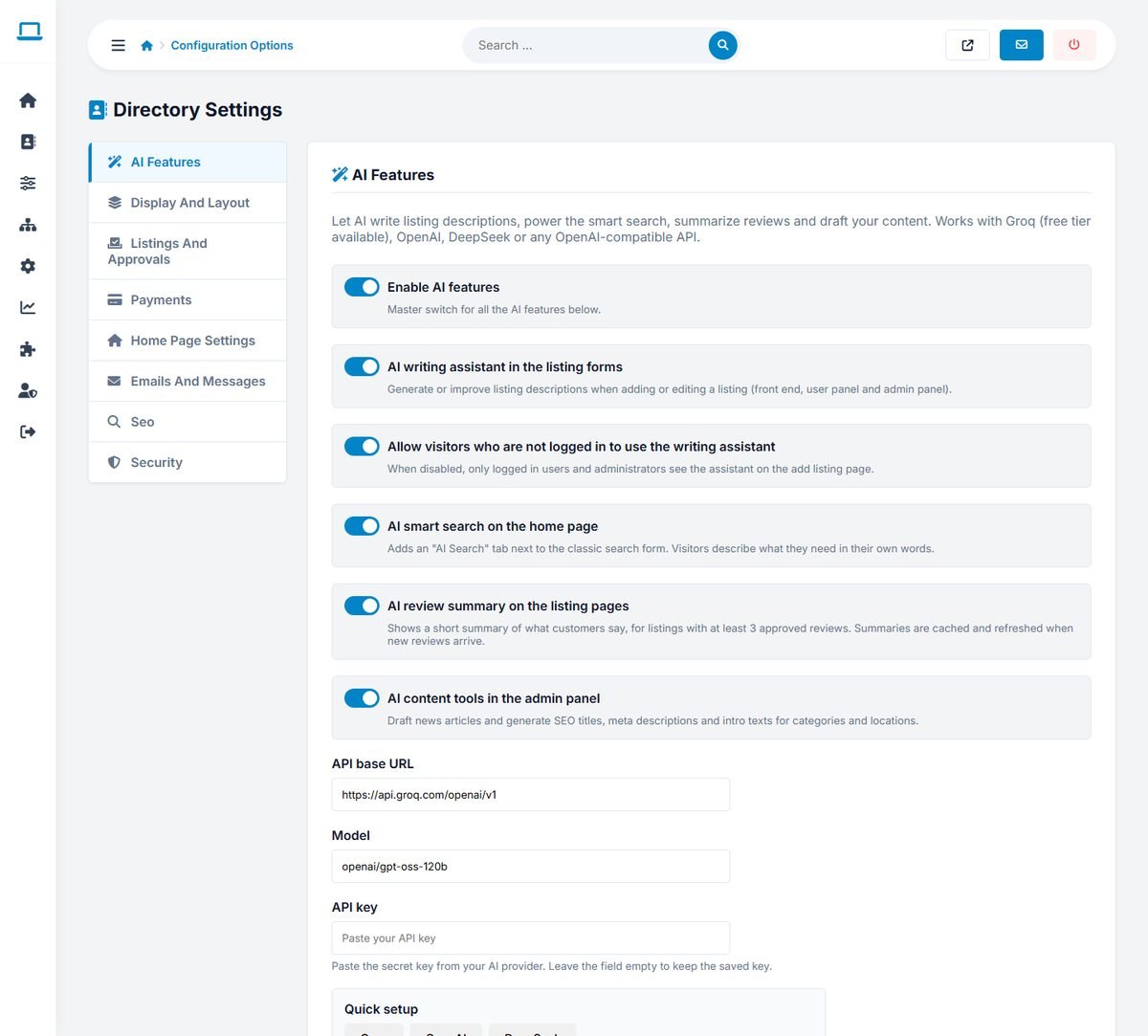
The settings are grouped in tabs on the left: AI Features, Display And Layout, Listings And Approvals, Payments, Home Page Settings, Emails And Messages, Seo and Security. All tabs are saved together with Save All Settings at the bottom.
The AI Features and Payments tabs are explained in Setting Up the AI Features and Payments: Stripe, PayPal and Bank Transfer.
Display and layout
| Setting | Meaning |
|---|---|
| Number Of Featured Listings | How many featured listings appear on the home page. |
| Categories Per Row | The number of columns in the category lists. |
| Show Listings Number | Shows the number of listings next to each category. |
| Results Per Page | How many listings appear on each page of search results. |
Listings and approvals
| Setting | Meaning |
|---|---|
| Auto Approve Listings | Publishes new listings immediately, without waiting in Approve Listings. Convenient, but spam and paid listings that were never paid go live too. Most directories leave it off. |
| Enable Claim Listing | Shows the "Claim this listing" link on listings without an owner. |
| Listings Expiration Days | The default number of days a listing stays online, used by packages whose duration is 0 and by the Renew button. |
Home page settings
- Home Background Image: the photo behind the home page search (JPG, PNG or WEBP). Use a wide, calm photo of at least 1920 pixels; most templates darken it so the text stays readable. Delete image returns to the template's default photo.
- Home Title and Home Subtitle: the main heading and the sentence under it. Make the title describe your directory, for example "Find trusted wedding suppliers in Ireland".
- Show Latest Listings, Show Featured Listings, Show Categories Section, Show Locations Section: switch the home page sections on or off.
Emails and messages
| Setting | Meaning |
|---|---|
| System Email From | The sender name of all emails, for example your directory name. |
| System Email Address | The sender address of all emails. It also receives notifications such as new claims. Use an address on your own domain. |
| Activation Email Title | The subject of the account activation email. |
| Success Message Free | The message shown after a listing with a free package is submitted. |
| Success Message Paid | The message shown after a listing with a paid package is submitted, above the payment options. |
SEO
- Seo Append Title: text added to the end of the page titles of category, location and search pages, for example "| Your Directory Name" or "in Ireland".
- Seo Append Description: text added to the end of the meta descriptions of the same pages.
Keep both short: search engines show about 60 characters of a title and 155 of a description. See SEO: URLs, Titles, Sitemap and Structured Data.
Security
Enable Recaptcha protects the registration and listing forms against robots with Google reCAPTCHA. Create the keys for your domain in the Google reCAPTCHA admin console and paste the Recaptcha Public Key (site key) and Recaptcha Private Key (secret key).