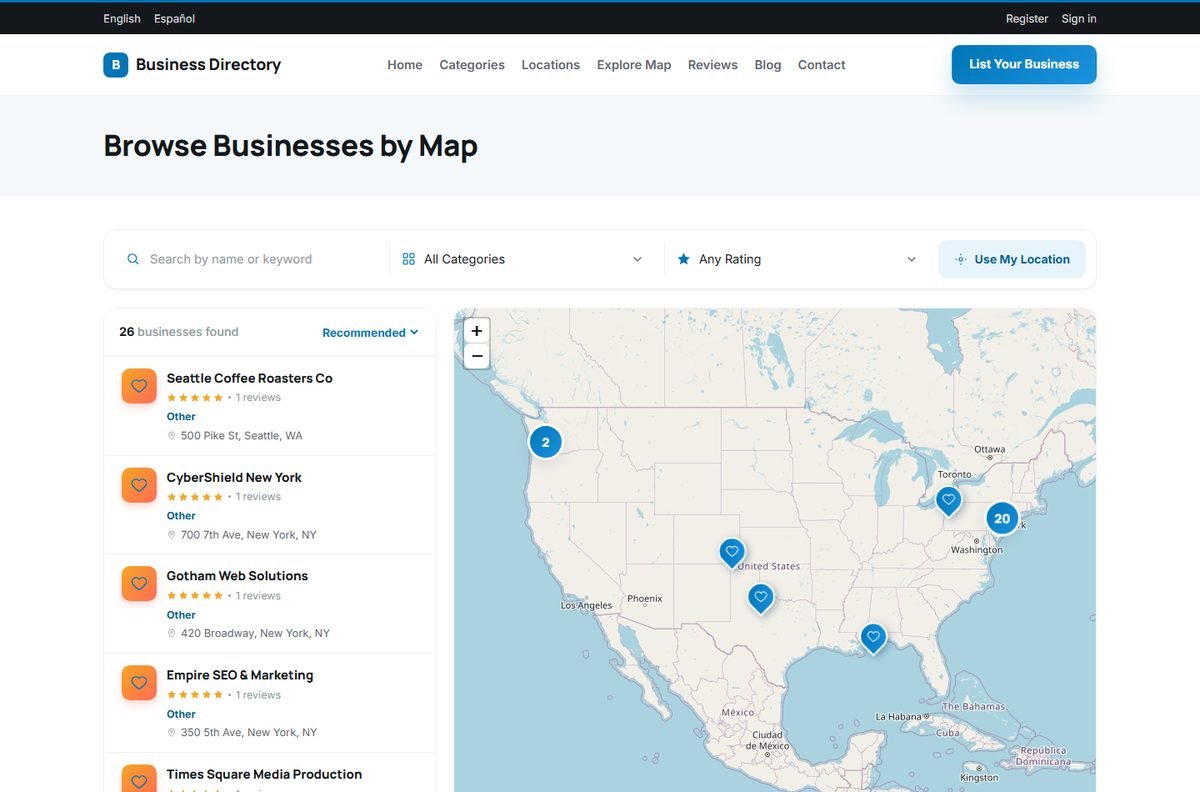
The Explore Map page shows every listing that has map coordinates on one interactive map. It works on phones and computers and uses OpenStreetMap, so no Google Maps API key is needed.
Using the map
- Businesses that are close together are grouped in numbered clusters. Clicking a cluster zooms in.
- Clicking a marker shows the business name, rating and address with a link to the listing.
- The list next to the map shows the businesses found, with their rating and address, and can be sorted.
- The filters above the map search by name or keyword, category and minimum rating.
- Use My Location centers the map on the visitor's position (after the browser asks for permission) and shows the businesses nearby.
Getting listings on the map
A listing appears on the map when it has a latitude and longitude. These are filled in automatically when the owner clicks Add a map to your listing in the listing form, or can be entered by hand in the admin listing editor. Imported listings appear once their coordinates are added.
The Explorer template shows a map on its home page and next to the search results as well. See Templates, Logo and Appearance.